
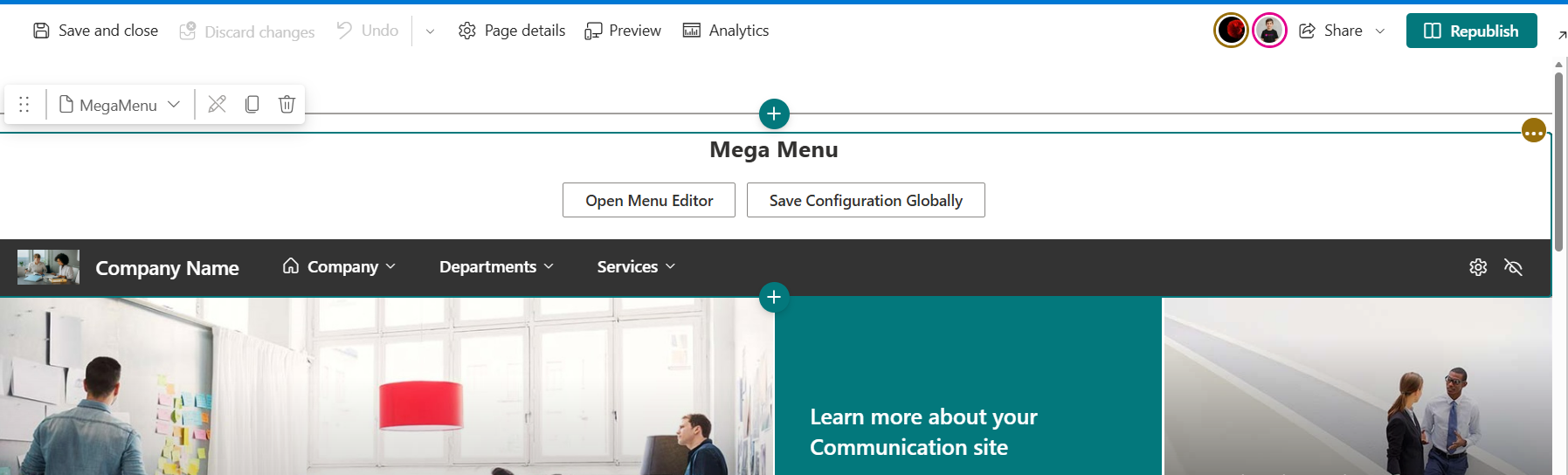


Description
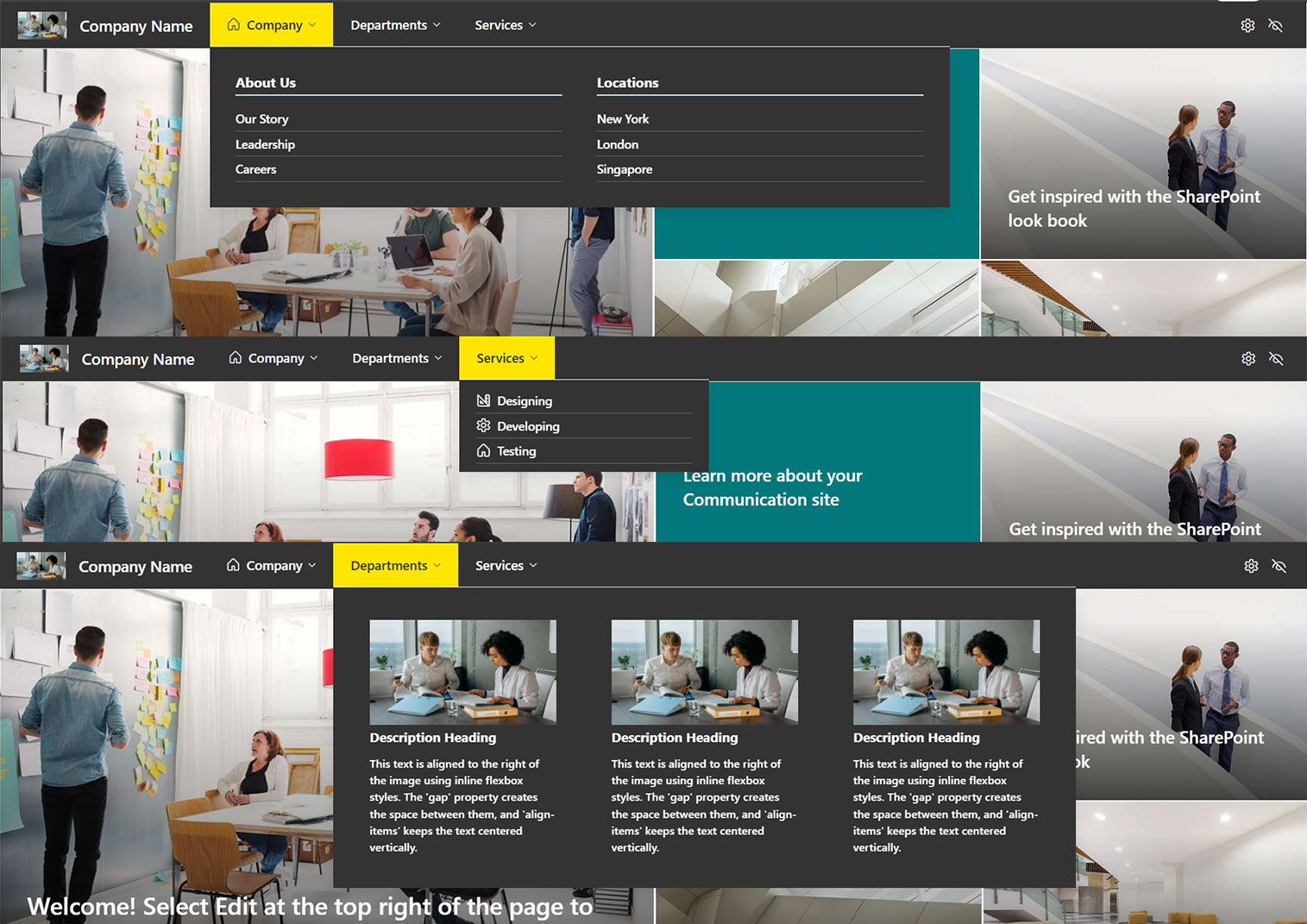
A SharePoint Framework solution that replaces the default SharePoint navigation with a configurable, permission-aware mega menu. It supports multi-column dropdowns, a mobile hamburger menu, audience-targeted and scheduled links, and an in-page drag-and-drop editor with a draft/publish workflow and version history. A single Global Settings panel controls branding and header visibility across every page at once.
Web part: MegaMenu (alias: MegaMenuWebPart, group: Advanced) Application Customizer (optional): GlobalNavApplicationCustomizer — injects the same menu into the Top placeholder on every page of a site, so you don’t need to add the web part manually page by page Solution name: mega-menu-client-side-solution
Navigation and Display
- Multi-column mega dropdowns or single-column vertical lists, set per top-level item
- Optional fixed column count for multi-column dropdowns, with auto-wrap as the default
- Mobile hamburger menu with accordion-style sub-items
- Audience targeting by Azure AD security group or Microsoft 365 group. An item with groups assigned is hidden from anyone not in at least one of them, and fails closed if the group lookup fails
- Scheduled visibility with optional “Visible From” and “Visible Until” dates per item
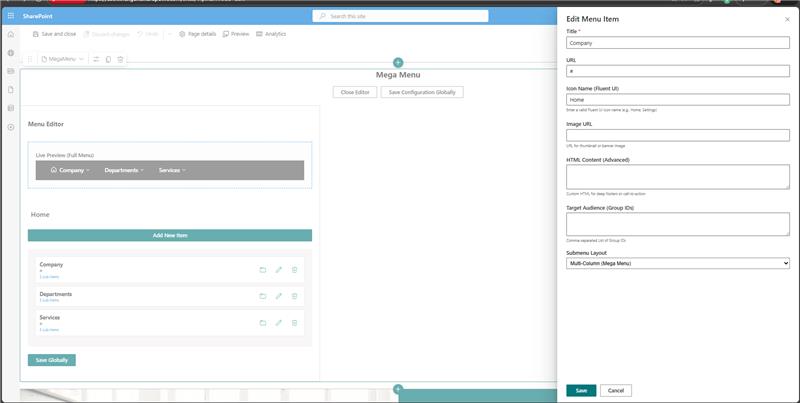
- Per-item icon from the Fluent UI icon set, thumbnail or banner image, short description subtext, and custom HTML for advanced cases, sanitized before rendering
- Full keyboard accessibility: Left/Right/Home/End move focus across top-level items, Up/Down move inside an open dropdown, and Escape closes it
- Colors and fonts follow the CSS variables set in Global Settings, or fall back to the SharePoint theme
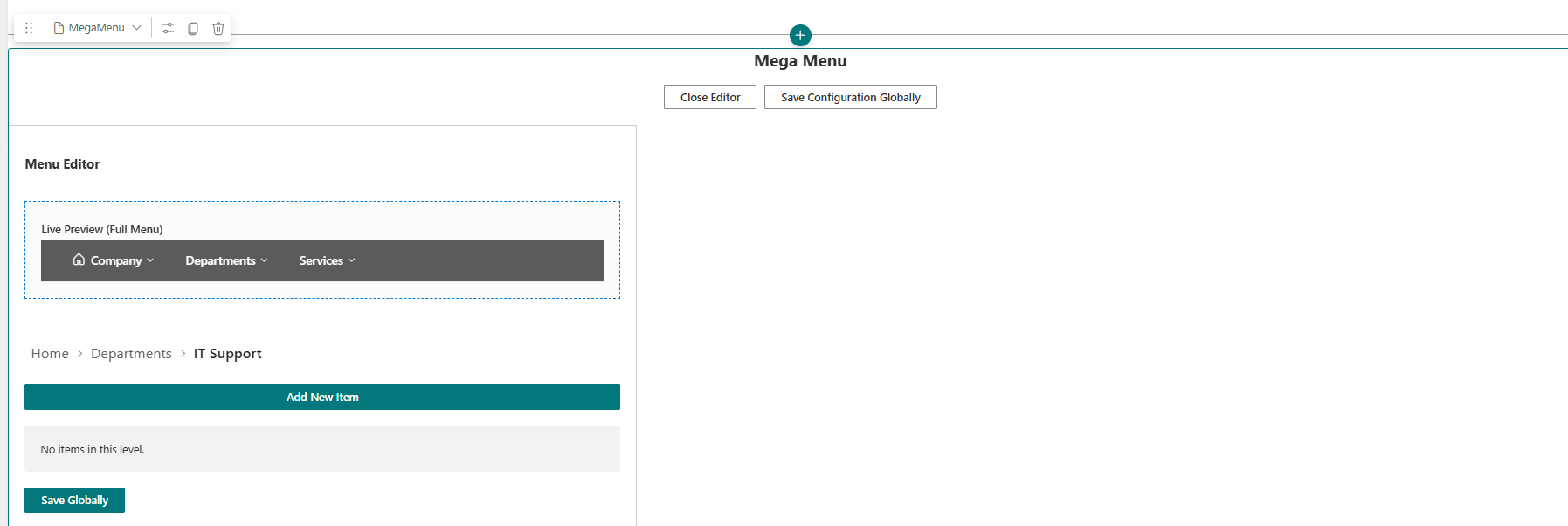
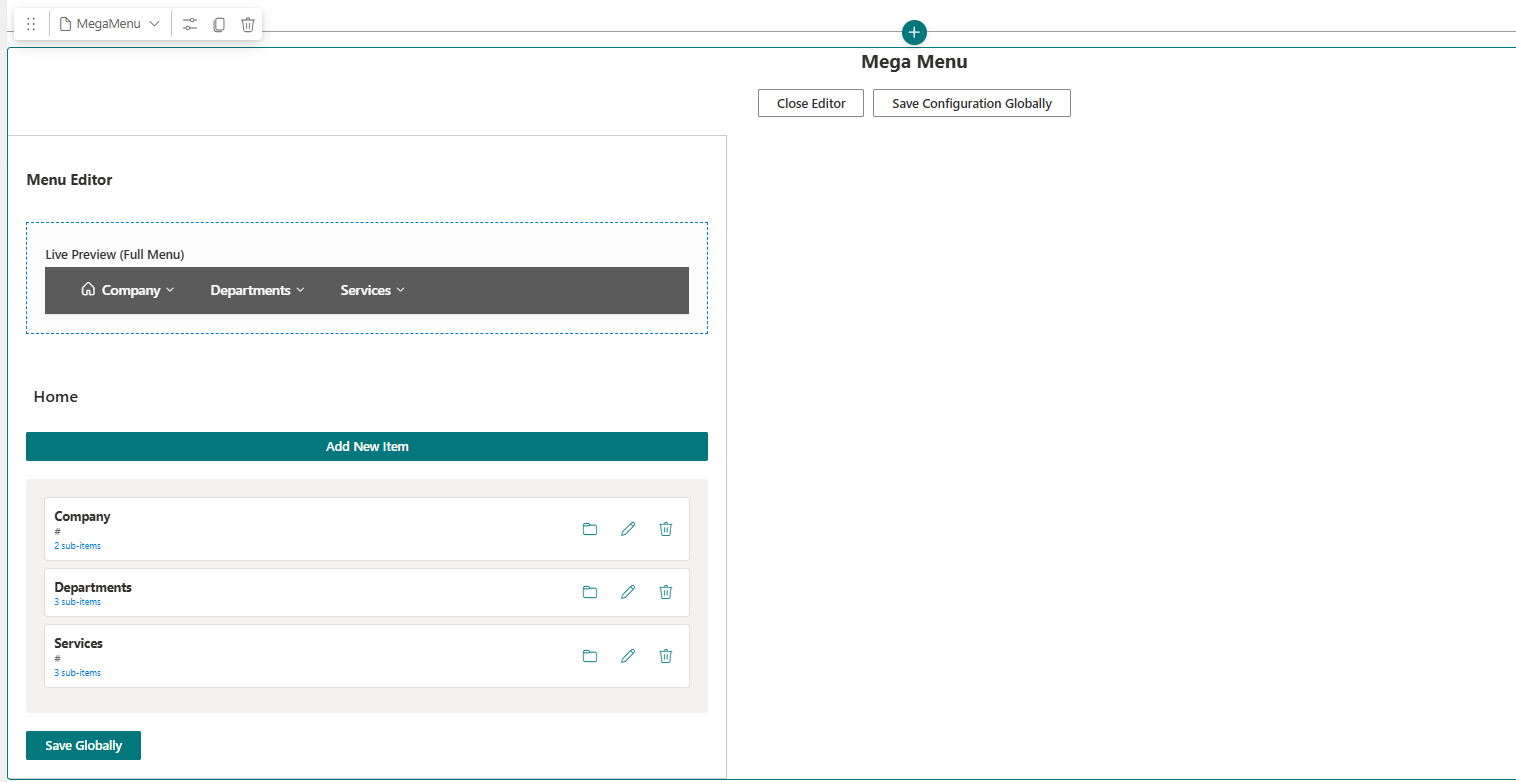
Menu Editor
Opens directly on the page in Edit mode.
- Drag-and-drop reordering, with keyboard support
- Breadcrumb drill-down into sub-levels, up to two levels of nesting below a top-level item — matching what the live dropdown renders, with children as columns and grandchildren as links. “Manage Sub-items” is disabled beyond that depth
- Add, edit, and delete items, with validation for required titles, URL format, and duplicate titles at the same level
- Searchable icon picker, plus image upload straight to the site’s Site Assets library or a pasted URL
- Group and audience picker with live Microsoft Graph group search
- Draft and publish workflow — edits save as a draft that only editors can see, and nothing changes for other users until Publish is clicked
- Version history — every publish archives the previous live version, keeping the last 15, with one-click restore
- Import and export as JSON, for backups or copying a menu between environments
- Live preview of the full menu while editing, with hover working and clicks suppressed so you don’t navigate away mid-edit
Global Settings
Opened with the Save Configuration Globally button, visible in Edit mode. Global Settings always take precedence over the web part’s own property pane values, so the menu is configured once and applied everywhere it’s placed.
- Site title and logo, uploaded or linked by URL
- Menu and submenu background, text, hover, and header colors, each with a color-picker swatch and a text field that accepts hex codes or named CSS colors such as DarkBlue
- Option to hide the default SharePoint chrome — site header, top placeholder, suite nav, and command bar. The App Bar is hidden alongside the header
- A quick Show/Hide Header toggle in the nav bar’s action area, for changing header visibility without opening the full settings panel
Storage
All configuration is stored in a SharePoint list named MegaMenuData, on the site where the web part first runs. The list is created automatically the first time a user with sufficient permissions loads the web part.
| List Item | Contents |
|---|---|
| NavigationNodes | The published, live menu tree |
| NavigationNodesDraft | In-progress editor draft, if any |
| NavigationHistory | The last 15 previously published versions |
| GlobalSettings | Colors, logo, title, and header visibility |
Frequently Asked Questions
Can the mega menu be added to every page without placing the web part manually each time? Yes, through the optional GlobalNavApplicationCustomizer. Once activated, it injects the same menu into the Top placeholder on every page of the site automatically.
Can menu items be restricted to specific groups of employees? Yes. Items can be targeted to an Azure AD security group or Microsoft 365 group. If a group lookup fails for any reason, the item stays hidden rather than showing by mistake.
Do menu changes go live immediately when edited? No, not unless published. Edits are saved as a draft that only editors can see. The live menu only updates once Publish is clicked, so half-finished changes never reach visitors.
What happens if a mistake is published? Every publish keeps a backup of the previous version, up to 15 in history, and any of them can be restored with one click.
Can the same menu be copied to another site or environment? Yes. The menu can be exported as a JSON file and imported into another site running the same web part.
Does the menu work on mobile devices? Yes. It switches to a hamburger menu with accordion-style sub-items on smaller screens.
Can links be set to appear or disappear automatically on a schedule? Yes. Each item supports optional “Visible From” and “Visible Until” dates, so time-limited announcements or campaigns don’t need manual removal later.
Is the menu accessible for keyboard-only users? Yes. Arrow keys move focus across top-level items and within open dropdowns, and Escape closes an open menu.




There are no reviews yet.