

Description
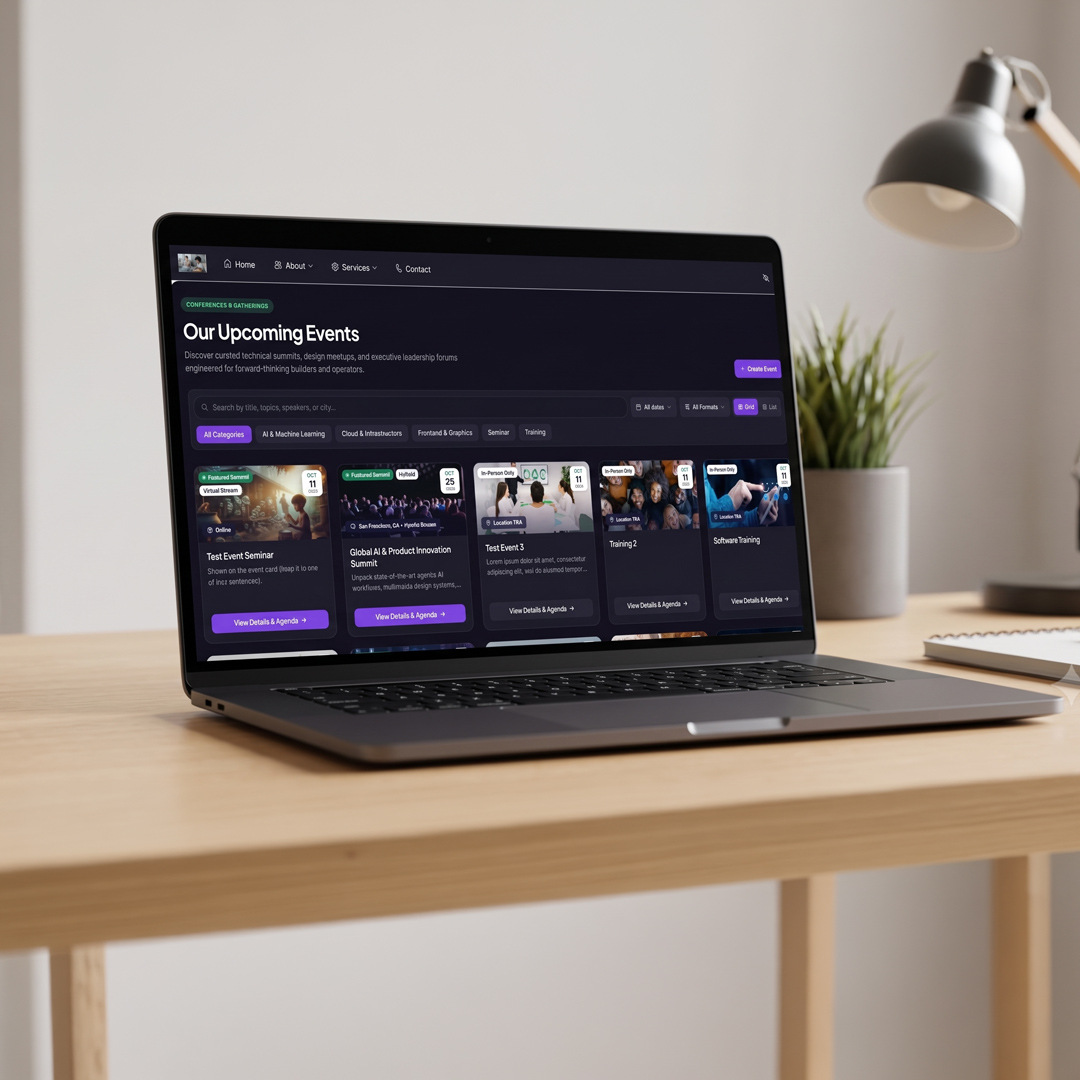
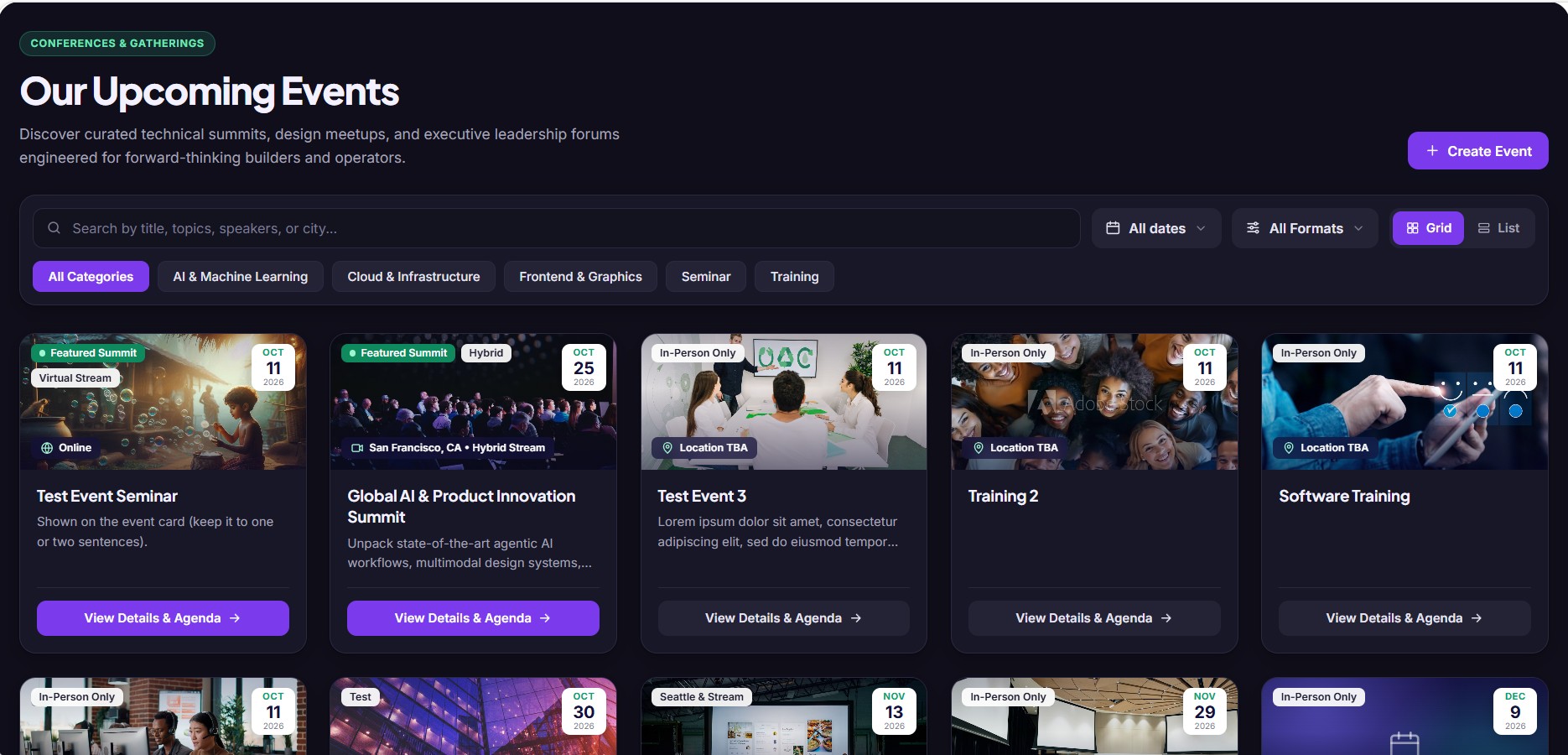
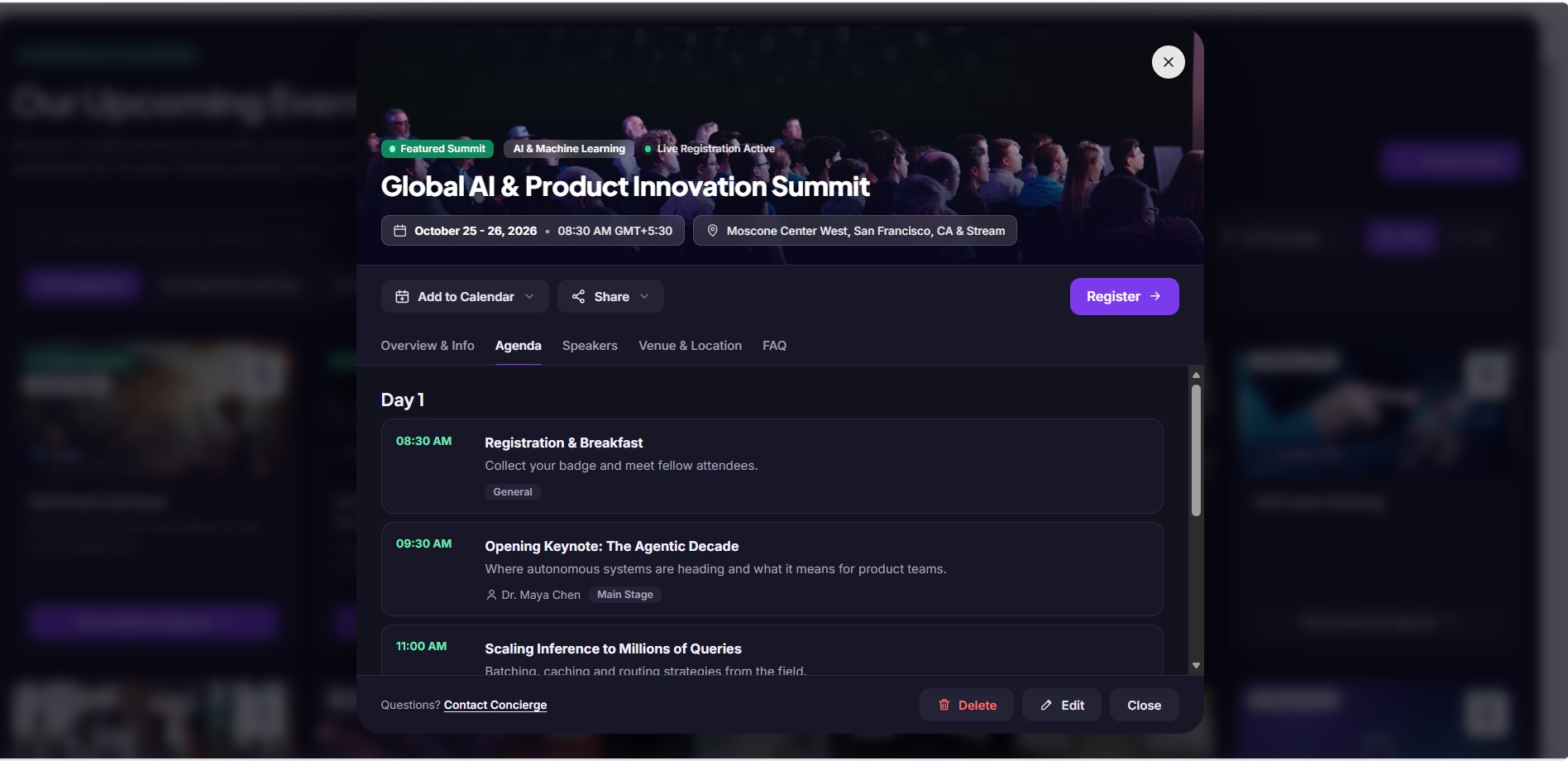
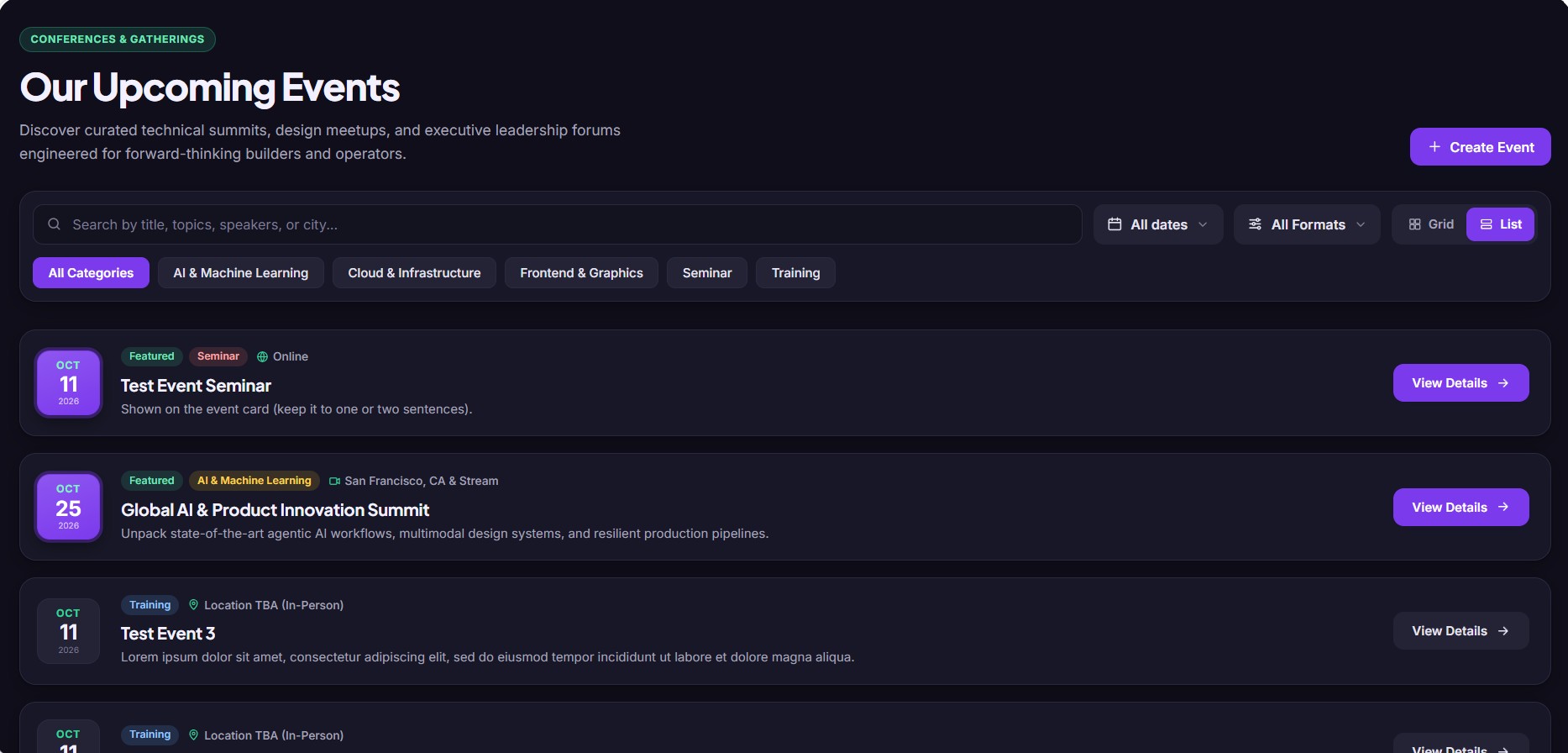
KapiNex Events turns a SharePoint page into an events hub. People browse upcoming conferences, meetups and internal sessions as cards or a compact list, filter them, and open a full event page with the agenda, speakers, venue and FAQ. Editors publish and update events straight from the page, with no list forms to fill in.
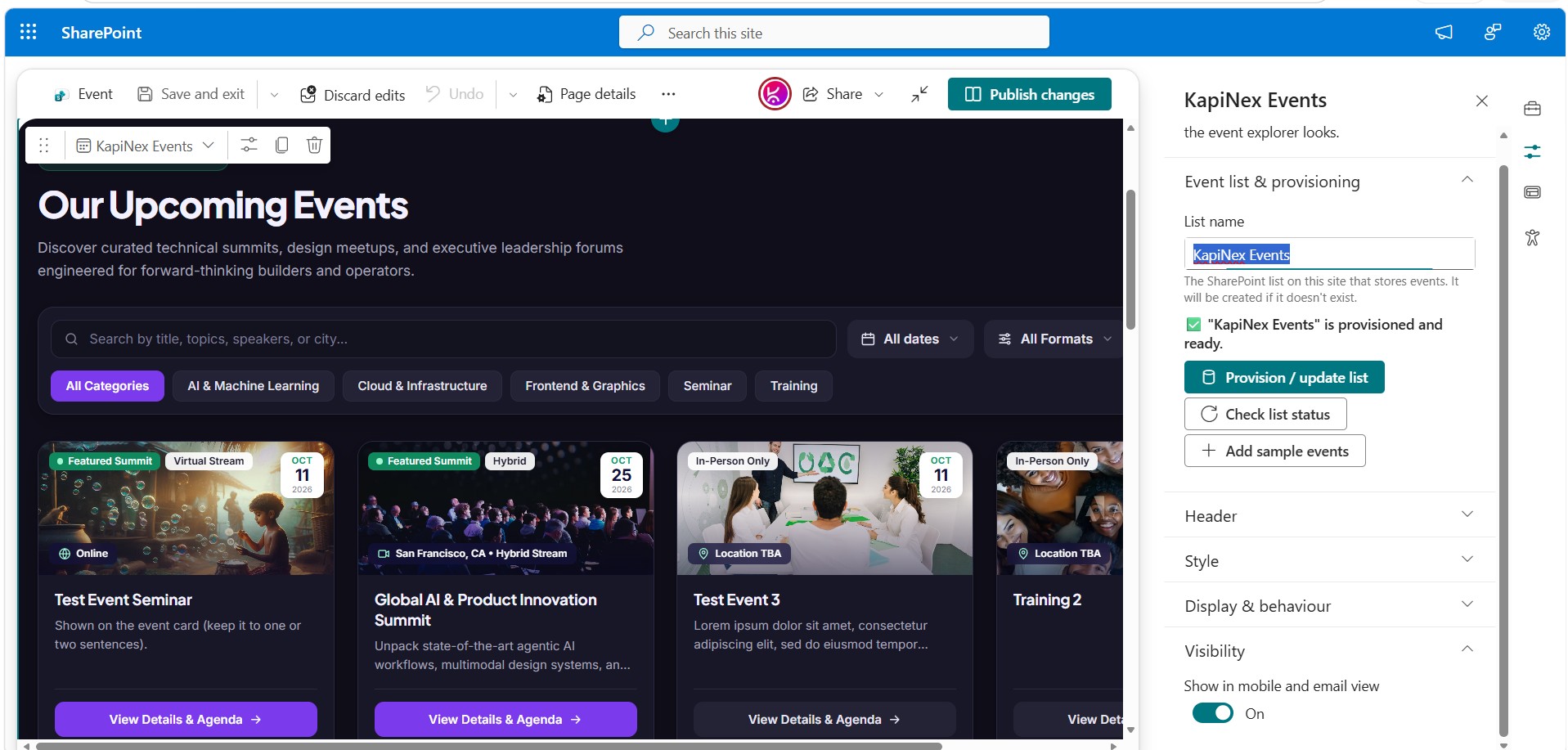
Everything is stored in a SharePoint list on your site. The web part creates the list and its columns from the property pane in one click, and uses the site’s own permissions: only people who can edit the list see Create, Edit and Delete.
Features
Browse and find events quickly
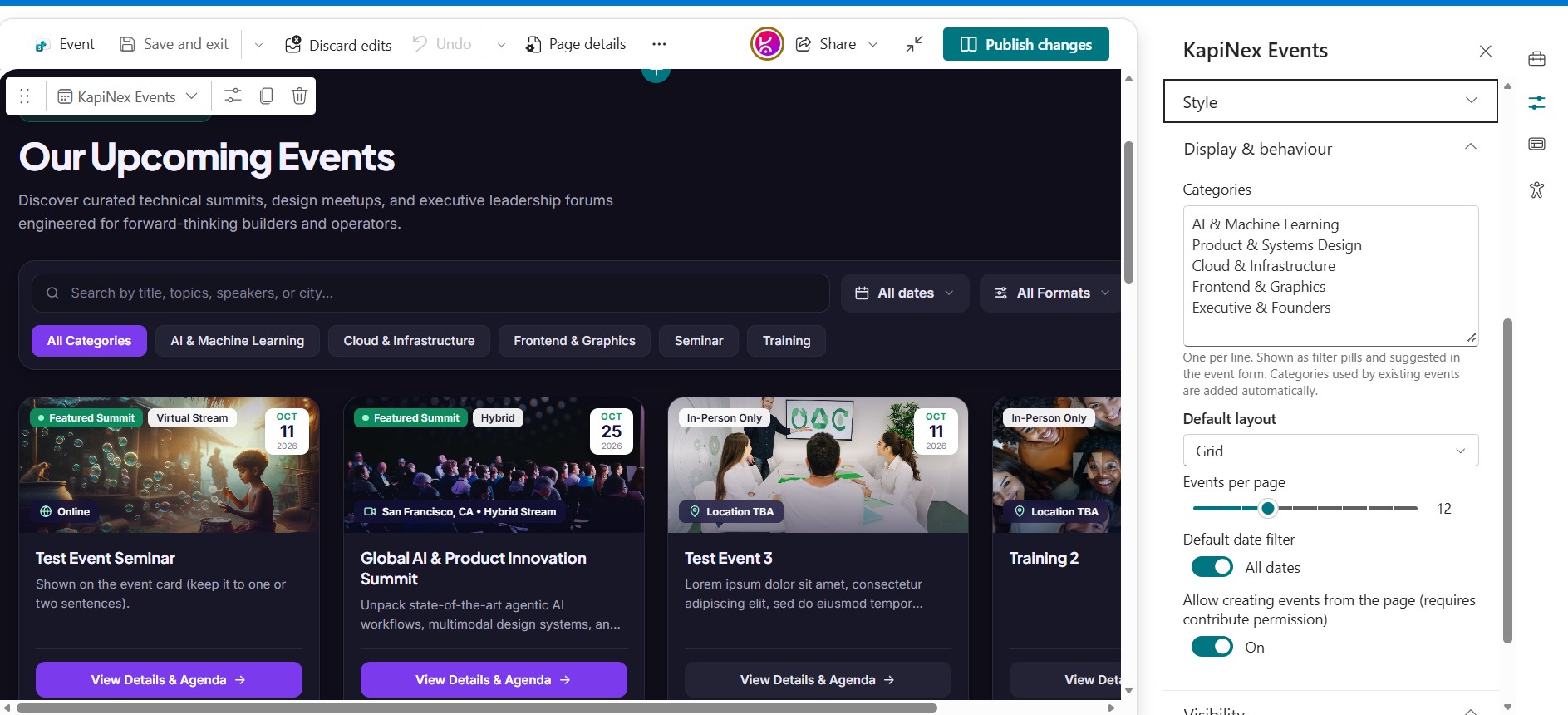
- Grid and list layouts with pagination, so pages stay fast and tidy as your event calendar grows.
- Search across event titles, summaries, venues, speakers and agenda sessions.
- Filters for date (upcoming, this month, next 90 days, past, all), format (in-person, hybrid, virtual) and category.
- Smart category filters: categories with no matching events are hidden automatically.
- Featured events are highlighted and shown first.
A complete event page in one click
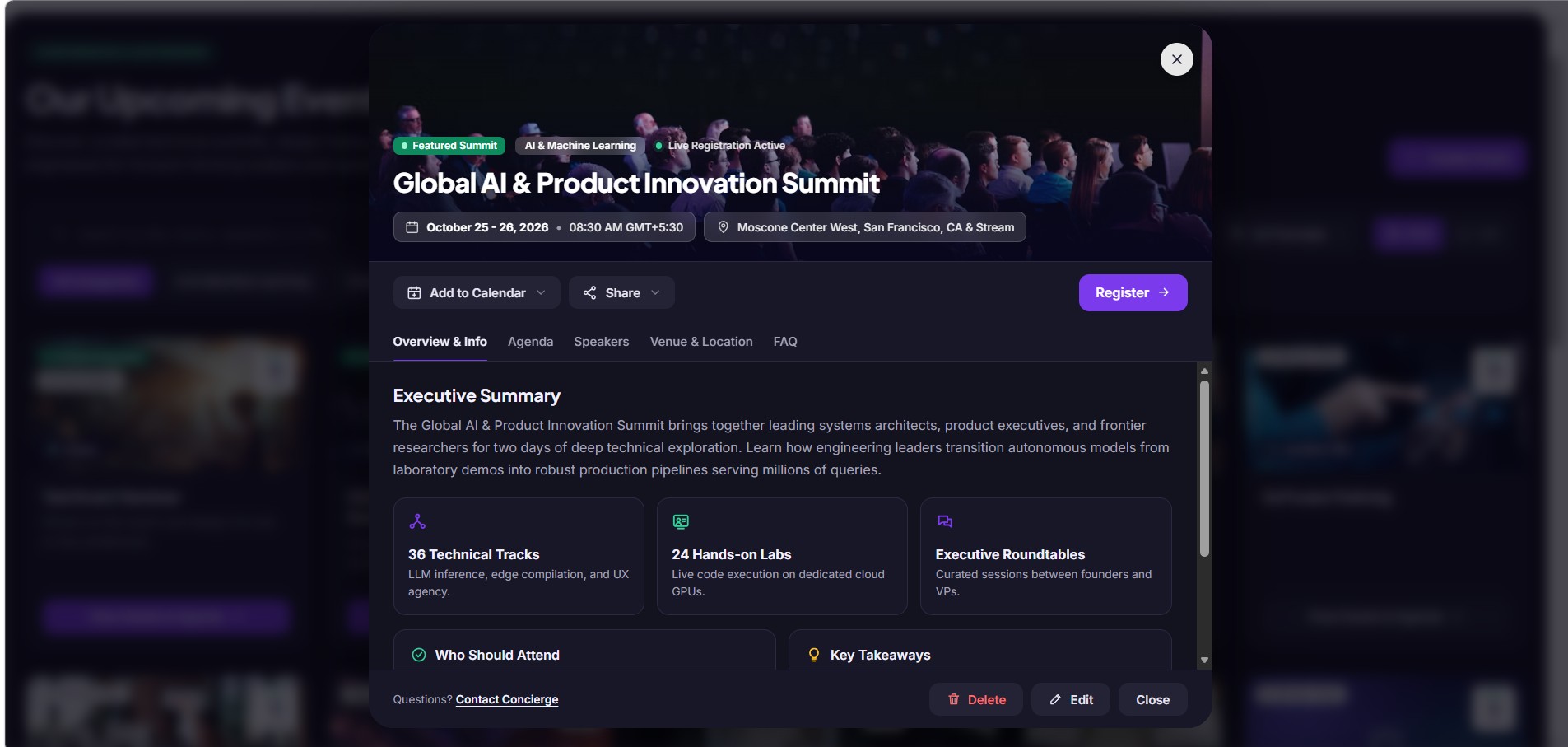
- Cover image header with the event title, category, dates and location.
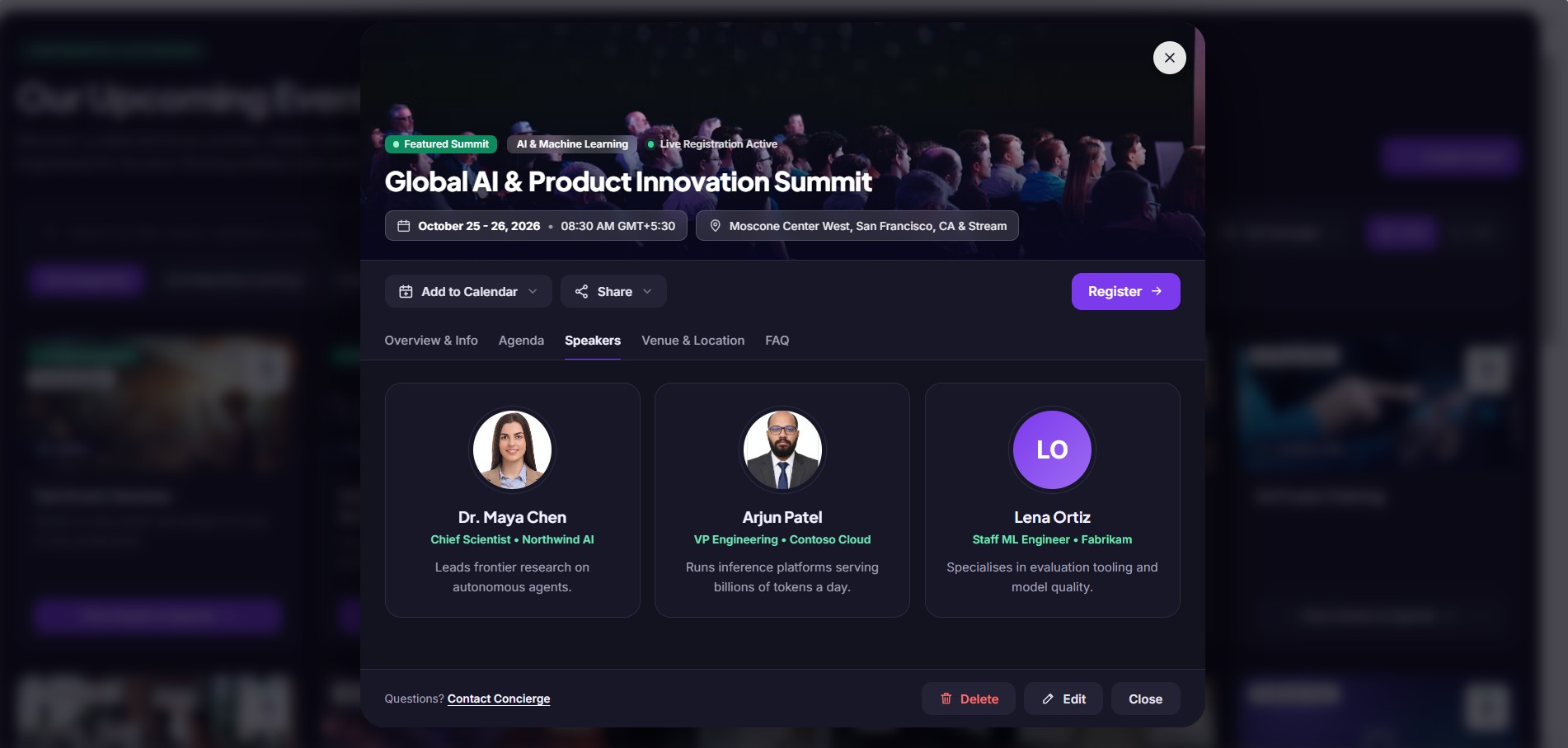
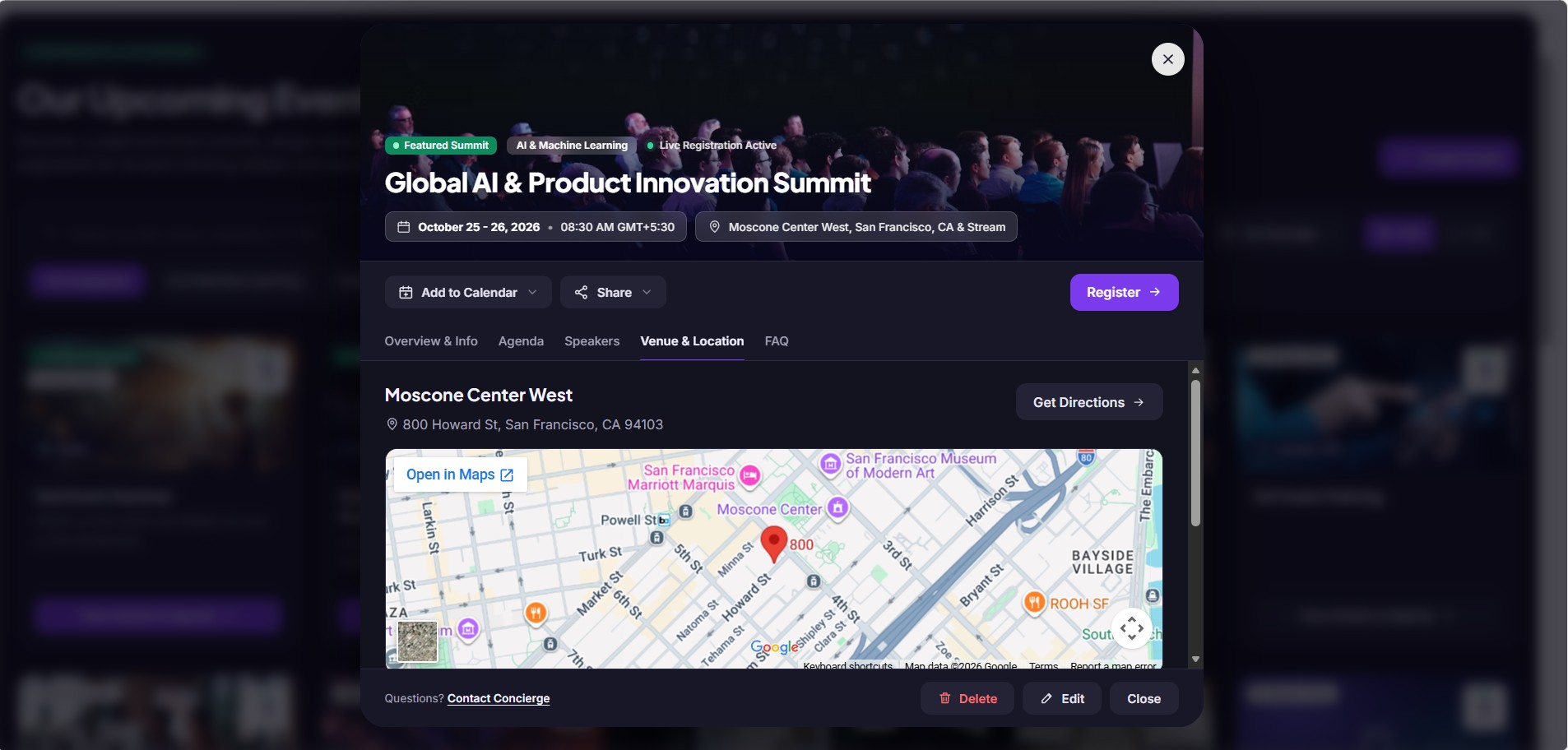
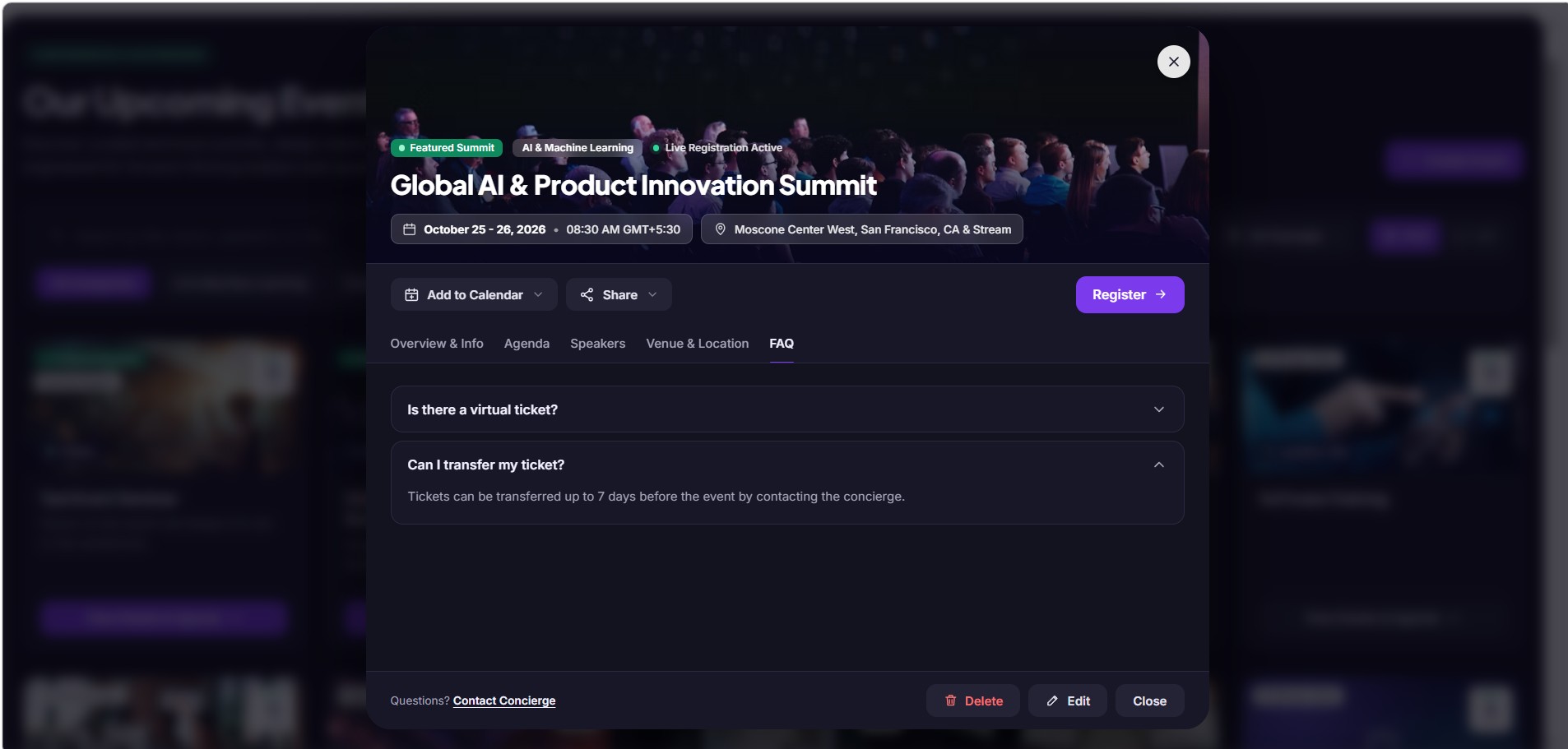
- Tabs for Overview, Agenda, Speakers, Venue & Location and FAQ.** Tabs with no content are hidden, so attendees never see empty sections.
- Speaker profiles with a photo, name, role, company and a short bio.
- Embedded map and directions for in-person and hybrid events, plus stream links for virtual attendees.
Help people attend
- Add to Calendar for Outlook, Google Calendar or any calendar app (.ics file).
- Share by copying a link, by email or to Microsoft Teams. Shared links open the event directly.
- Register button that links to your registration page, with button text you can customise, e.g. “Book your seat”.
Publish without leaving the page
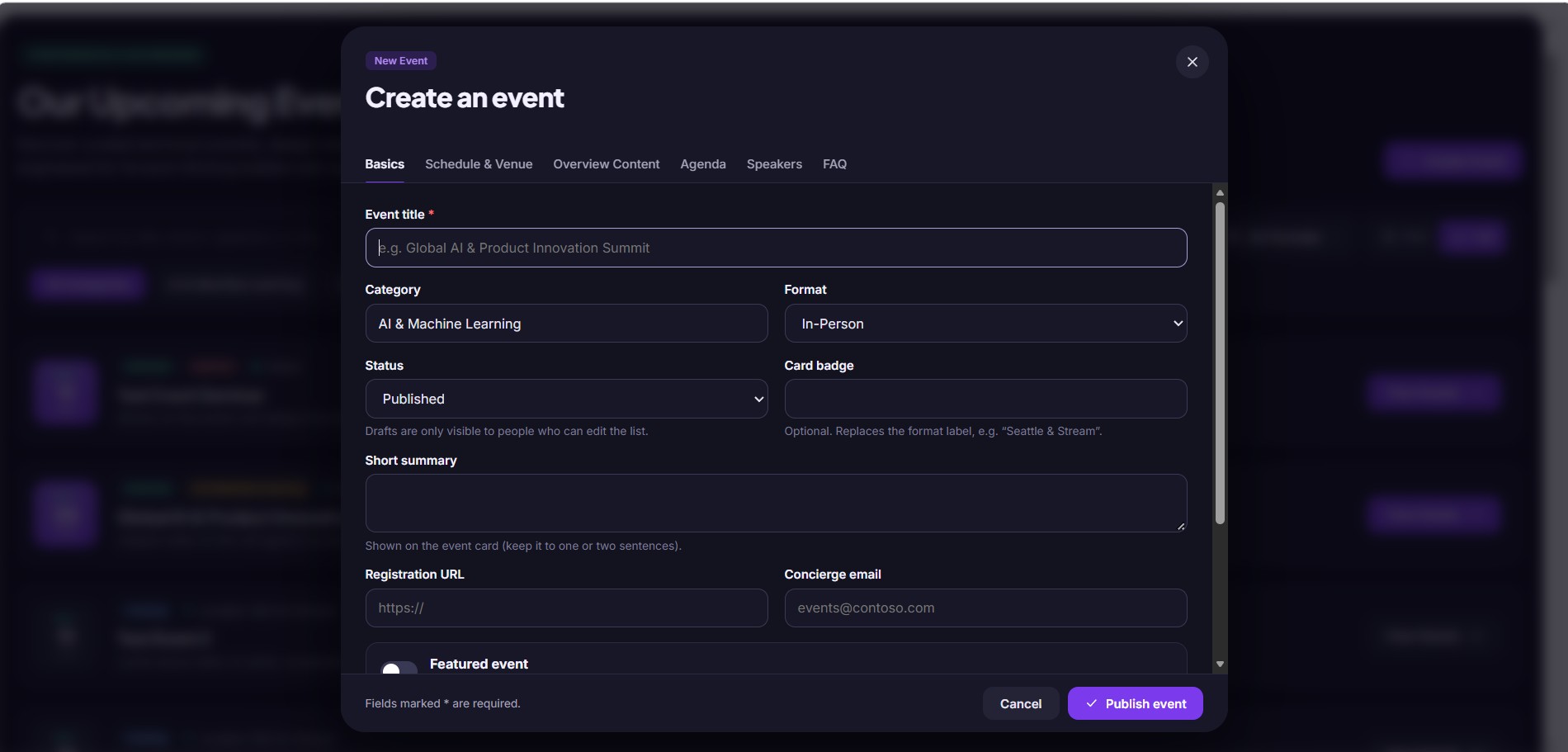
- In-page event form with tabs for basics, schedule and venue, overview content, agenda, speakers and FAQ.
- Image uploads for cover images and speaker photos, stored as attachments on the event’s list item.
- Draft, Published and Cancelled statuses. Only editors can see drafts.
- Permission-aware: Create, Edit and Delete appear only for people who can edit the events list.
Match your brand
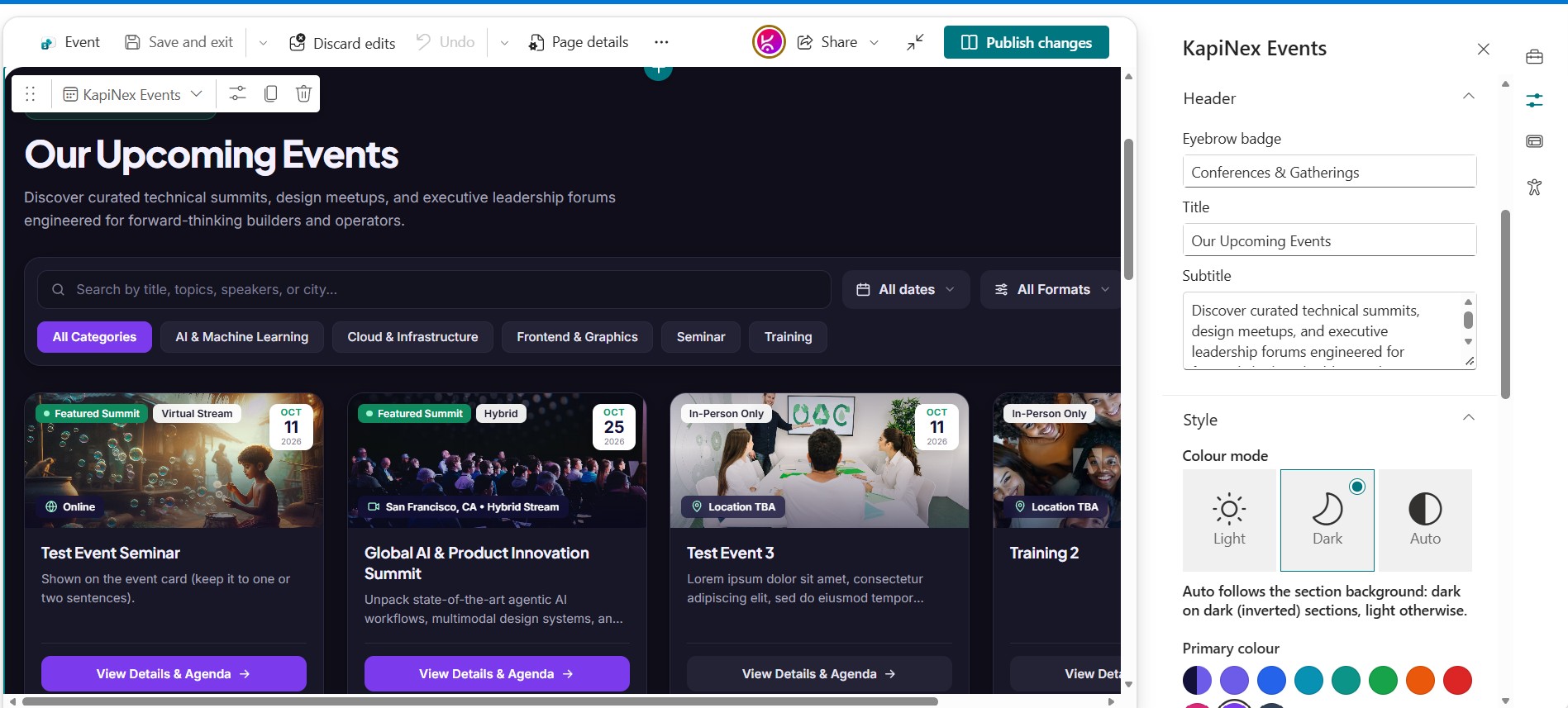
- Light, dark or automatic colour mode.
- Primary colour picker with presets or any hex colour. Hover states and accents adjust automatically, and button text stays readable.
- Editable header text, categories, default layout and page size.
Set up in minutes
- One-click list provisioning from the web part settings, with no PowerShell or site scripts.
- List health check that reports missing columns and fixes them safely.
- Sample events so you can try it straight away.
Note: Full-width sections are a standard SharePoint limitation. They are natively supported only on Communication Sites and are not available on Team Sites. This applies to all web parts, including Microsoft’s out-of-the-box web parts and custom-developed ones.
If you are using a Team Site and need a full-width layout, you can download and install our FullWidth extension from here.




There are no reviews yet.