

Description
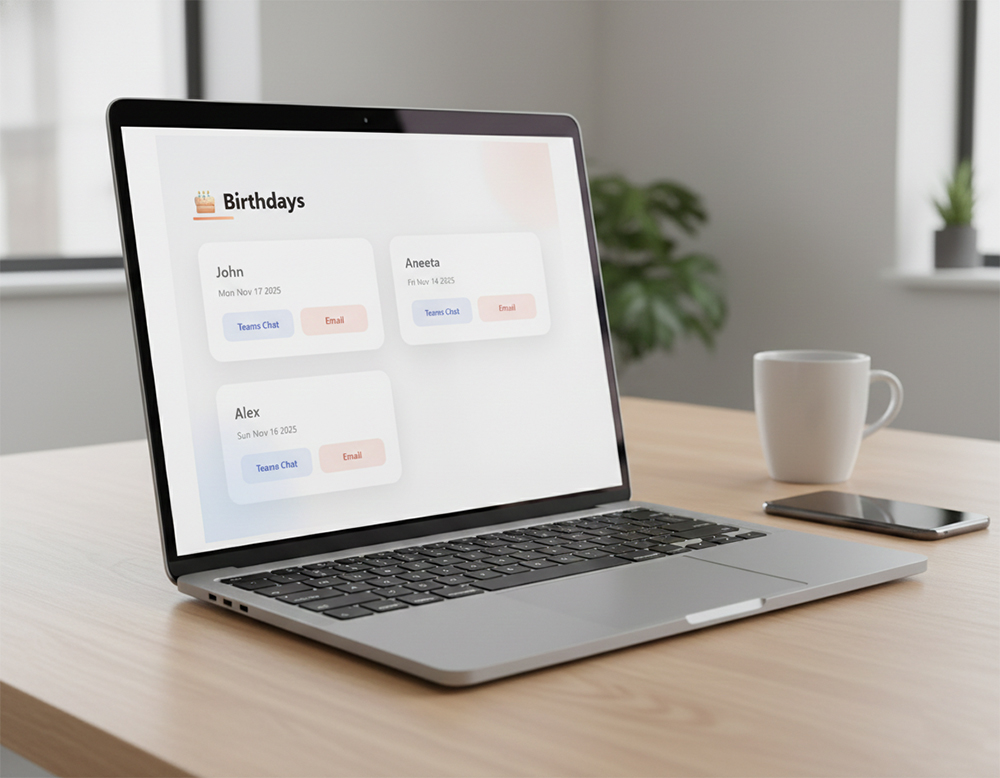
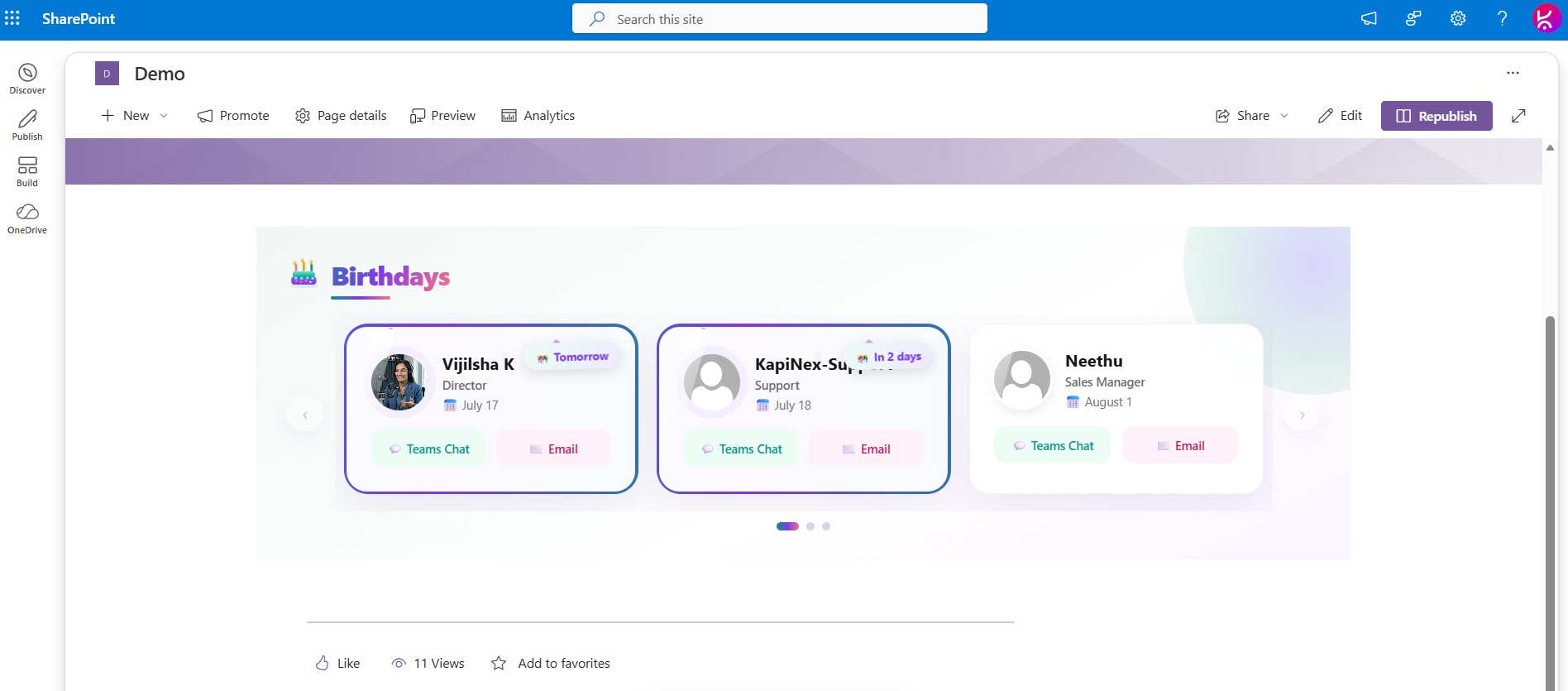
A fully automated employee birthday reminder for SharePoint intranets. The web part provisions its own SharePoint list, pulls employee photos and details straight from Microsoft 365, and displays upcoming birthdays in a modern, animated carousel — so HR and comms teams get a ready-to-use birthday board with zero manual setup.
Key Features
Setup & Administration
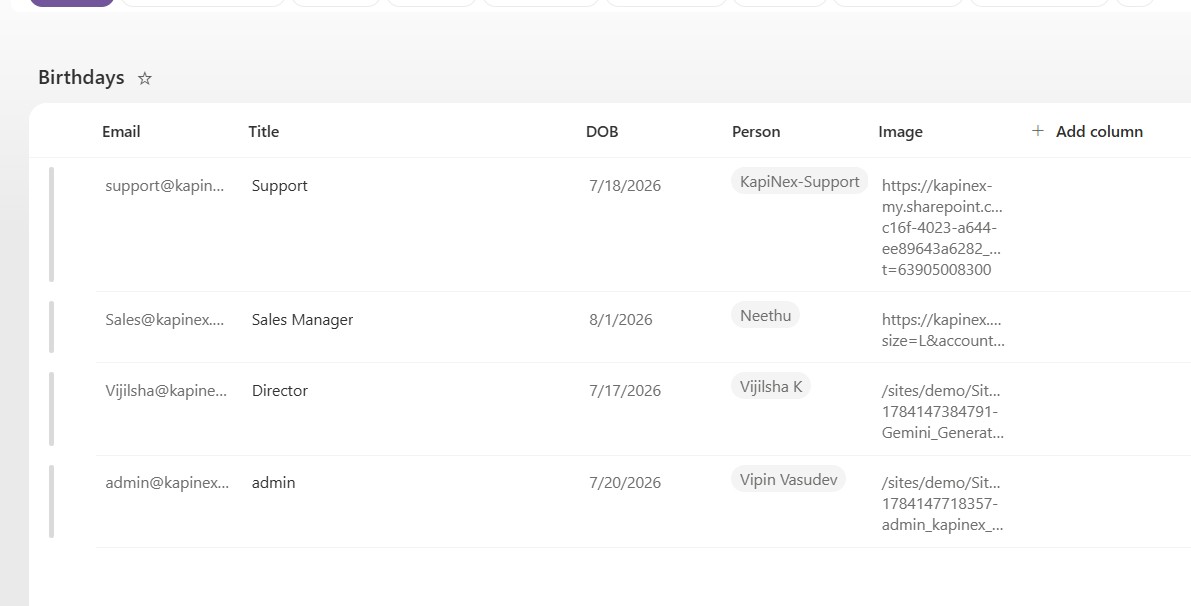
- Zero-touch list provisioning — the underlying SharePoint list and all required columns (Job Title, Person, Email, DOB, Image) are created automatically the first time the web part is added to a page. No manual list setup needed.
- Configurable list name — choose a custom list name from the web part property pane; defaults to
Birthdaysif left blank. - Idempotent setup — safe to run on every page load; never duplicates the list or its columns.
Adding & Editing Birthdays
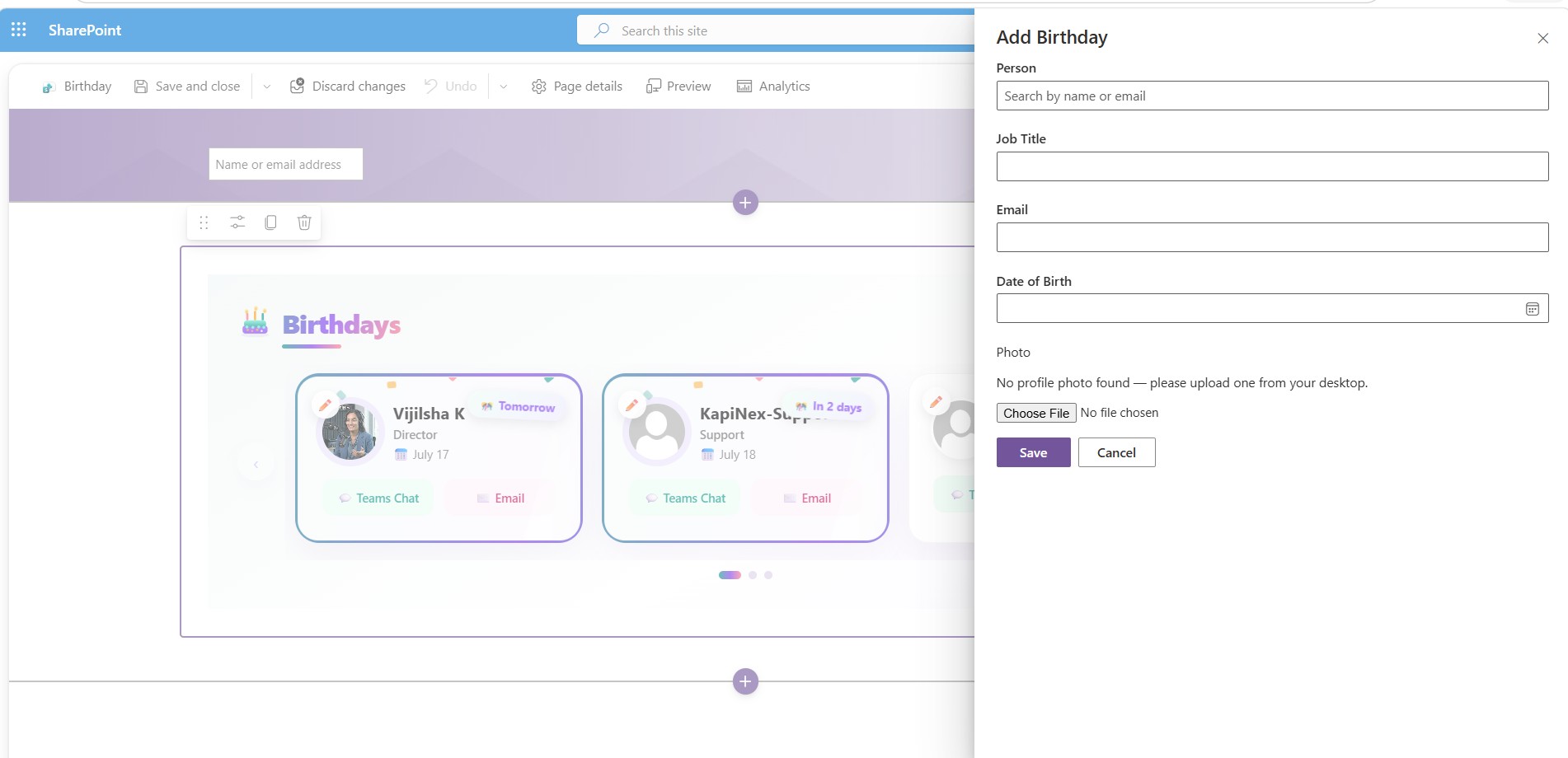
- Add Birthday panel — a search-driven people picker lets you add an entry without ever opening the list directly.
- Auto-fills Job Title and Email from the selected person’s directory profile.
- Displays their profile photo automatically when one is found.
- Lets you browse and upload a photo from your desktop if none is found.
- Requires only the Date of Birth to be entered manually.
- Edit Birthday panel — in edit mode, a pencil icon on each card reopens the same panel prefilled with that entry’s data (Job Title, Email, Date of Birth, photo), so entries can be corrected without recreating them.
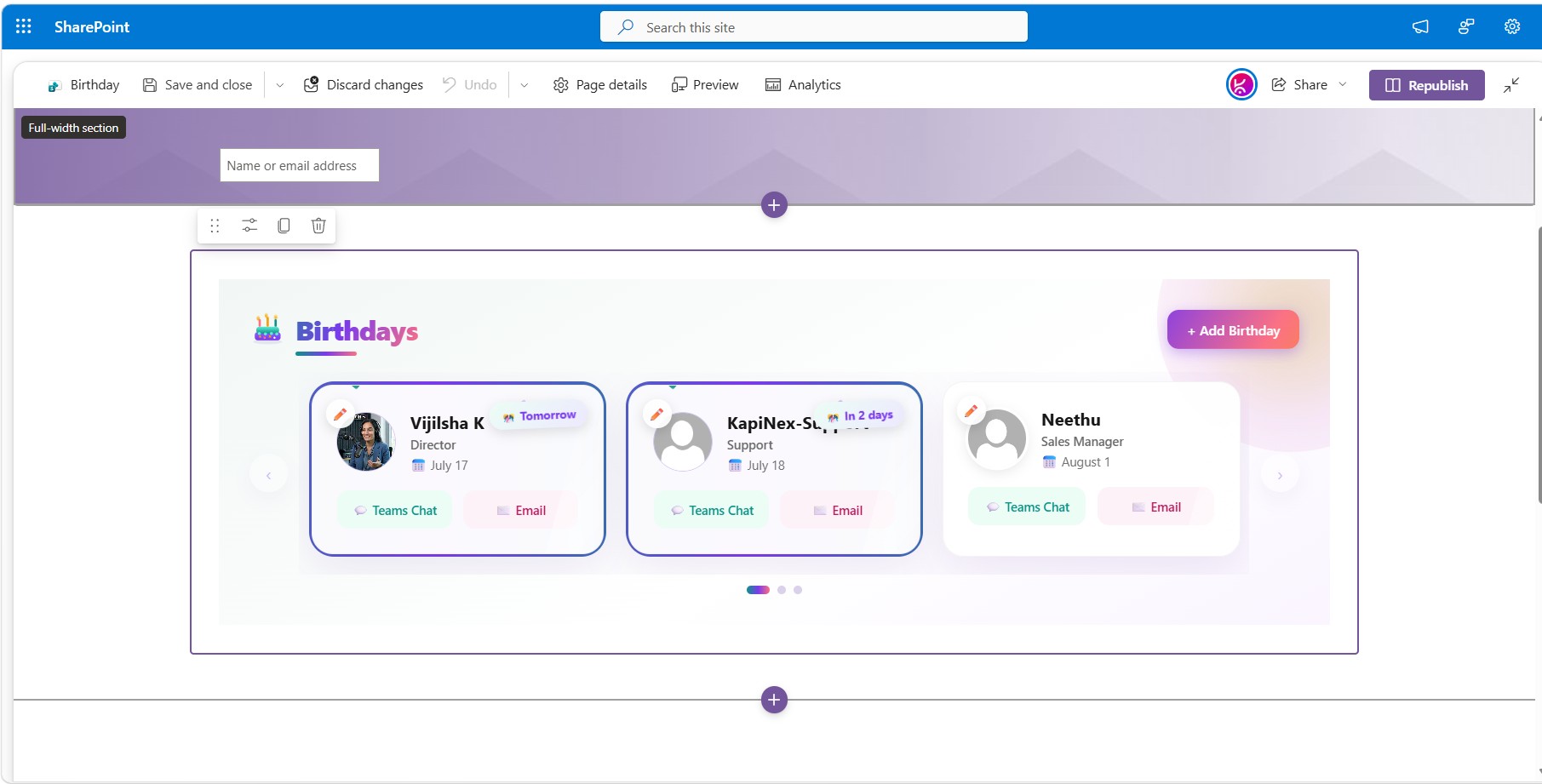
- Edit-mode gating — the “+ Add Birthday” button and per-card edit icons only appear while the page is in Edit mode, keeping the read view clean for regular visitors.
Automatic Photo Resolution
- Layered photo lookup — the web part tries each source in order until one succeeds:
- A manually uploaded photo, or a confirmed profile picture
- A live Microsoft Graph lookup (reads directly from Entra ID/Exchange — the most reliable source, including for accounts SharePoint’s own profile store has never synced)
- SharePoint’s built-in
userphoto.aspxendpoint - A generated initials avatar (e.g., “John Doe” → “JD”) as the final fallback
- Durable photo capture — when Microsoft Graph resolves a real photo automatically, it’s saved to the site’s Site Assets library as a permanent file — the same as a manual upload — instead of being re-fetched live on every page view.
Display & Layout
- All birthdays shown — nothing is hidden after it passes for the year.
- Smart sorting — entries are ordered by how soon each birthday next occurs; today’s and upcoming birthdays appear first, while already-passed ones wrap to next year and sort last.
- Responsive carousel — measures its own rendered width to decide how many cards fit side by side, so it adapts correctly whether it’s placed in a full-width section or a narrow single-column layout — not just based on browser viewport size.
- Resilient navigation — Previous/Next arrows and dot indicators are always clickable; at either end they simply dim rather than becoming disabled, so a stale index can never cause navigation to get stuck.
- Timezone-safe dates — birthday dates are stored and compared using calendar-day logic immune to timezone shifts, so “today” and “N days away” are always accurate regardless of the viewer’s location.
Visual Design
- Modern “sunset aurora” color theme (teal, violet, coral, gold) with a gradient heading and a colorful animated cake icon.
- Highlight animations for birthdays that are today or within the next 7 days:
- A flowing gradient border around the card
- A pulsing glow around the person’s avatar
- A gently swinging countdown badge (“Today!”, “Tomorrow”, “In N days”)
- A confetti-burst animation
- Card entrance, hover, and shine-sweep animations throughout, with full support for
prefers-reduced-motion.
Quick Actions
- Teams Chat — one click opens a Microsoft Teams chat with the birthday person.
- Email Greeting — one click opens a pre-filled birthday email.
Frequently Asked Questions
Does the Birthday web part require any manual SharePoint list setup? No. The web part automatically provisions its own SharePoint list and all required columns the first time it’s added to a page — no manual configuration is needed.
Where do employee photos come from? Photos are resolved automatically through a layered lookup: a manually uploaded or confirmed photo first, then a live Microsoft Graph lookup against Entra ID/Exchange, then SharePoint’s built-in photo endpoint, and finally a generated initials avatar if no photo is found anywhere.
Can HR add birthdays without editing a SharePoint list directly? Yes. A search-driven people picker lets you add an entry by simply selecting the person — job title, email, and photo are auto-filled from their Microsoft 365 profile, so only the date of birth needs to be entered.
How are upcoming birthdays sorted? Birthdays are sorted by how soon they next occur, so today’s and upcoming birthdays always appear first, while already-passed birthdays automatically wrap to next year.
Does the birthday carousel adapt to different page layouts? Yes. It measures its own rendered width — not just the browser viewport — so it displays the correct number of cards whether placed in a full-width section or a narrow column.
Can employees message or email the birthday person directly from the web part? Yes. Quick action buttons let users open a Microsoft Teams chat or a pre-filled birthday email with one click.
Is the design accessible for users sensitive to animation? Yes. All entrance, hover, and highlight animations fully respect the prefers-reduced-motion setting.


There are no reviews yet.