


Description
Org Chart Builder – Key Features
Zero-setup deployment
- Self-provisioning – creates its own SharePoint list (with every required column) the first time it’s added to a page. No manual list setup.
- Self-healing – if a column is ever missing (older version, manually edited list), it’s silently restored on next load.
- No Microsoft Graph permissions required – works immediately after deployment, with nothing for a tenant admin to approve.
Directory-powered people management
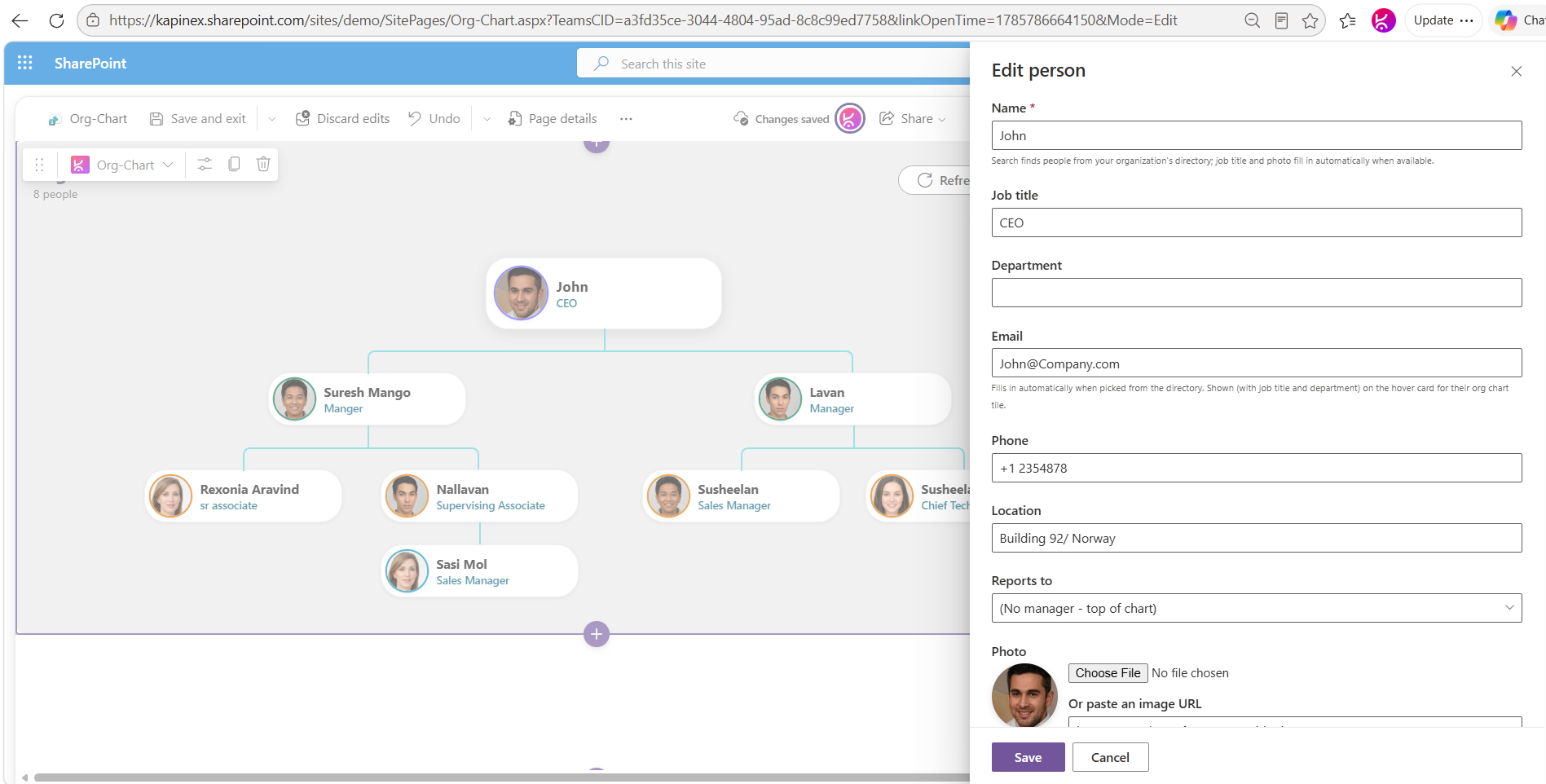
- Type a name to search your organization’s directory (the same lookup behind SharePoint’s people picker).
- Selecting a person auto-fills job title, department, email, phone, and location wherever available.
- Photos stay live – pulled from the person’s current profile photo rather than a one-time copy – or can be set manually via upload or image URL.
Interactive hierarchy
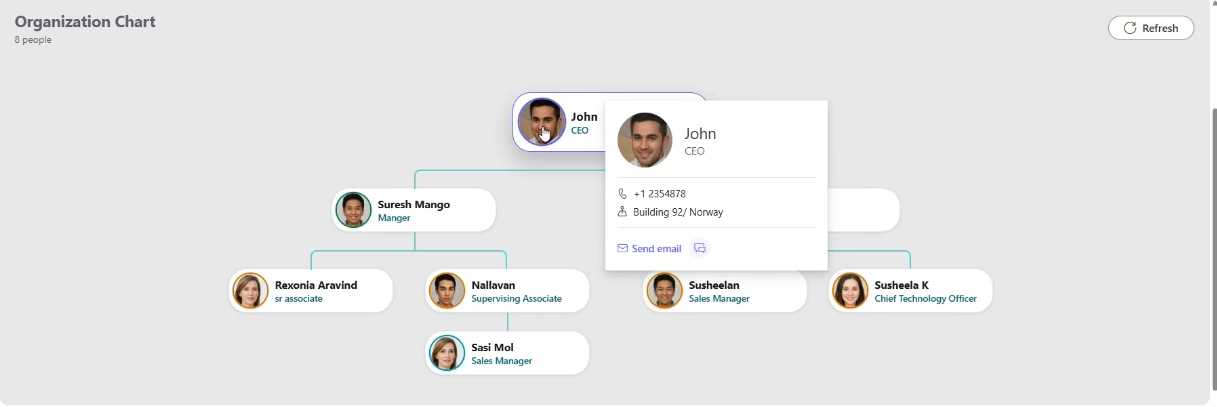
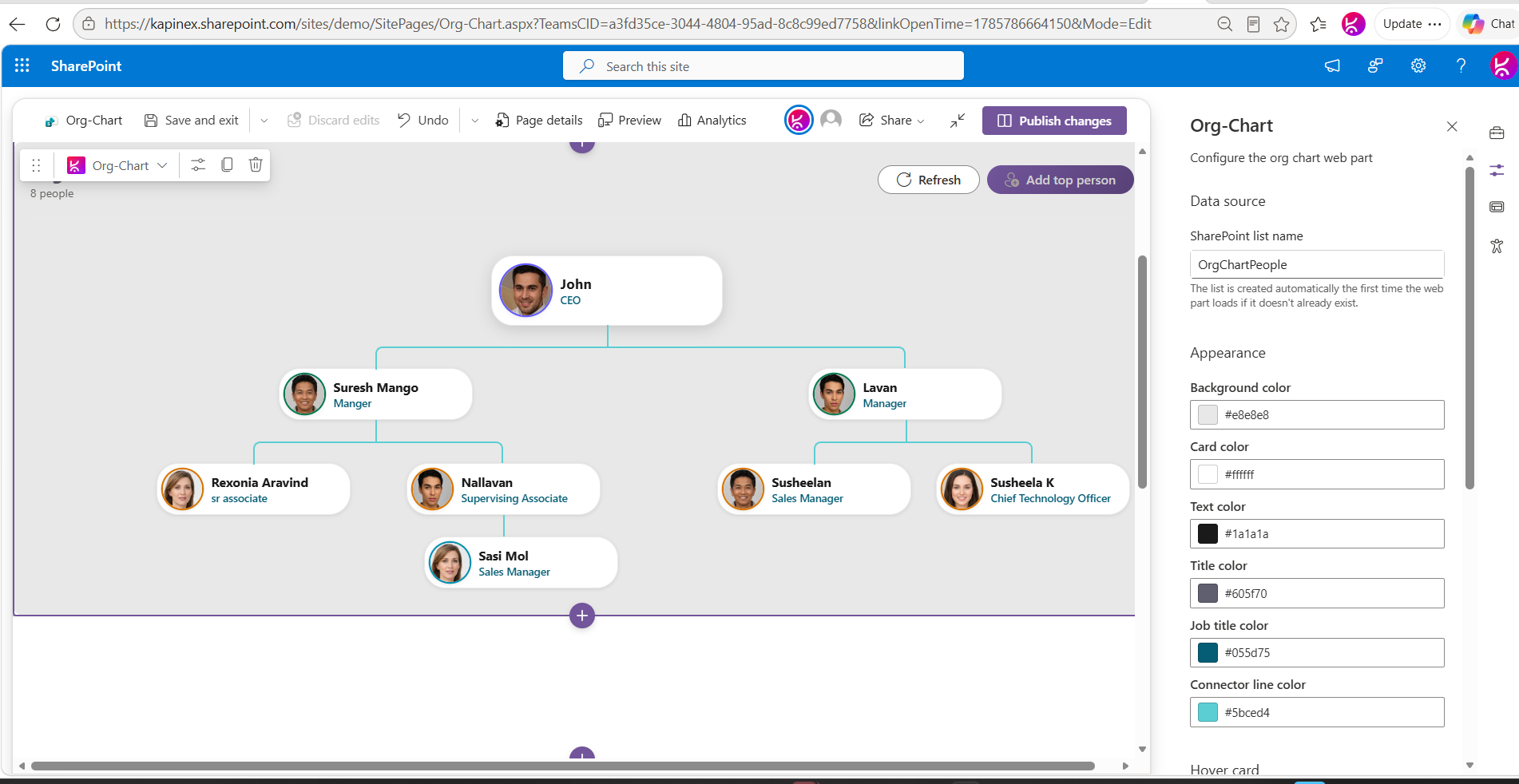
- Clean top-down tree view: one person at the top, direct reports cascading below.
- Add, edit, reassign (change “Reports to”), or remove people directly from the chart.
- Deleting a manager warns you first if they have reports under them.
Hover cards
- Hovering a person shows job title, department, phone, and location at a glance.
- One-click Send email and Message in Teams actions.
- Every element of the hover card – and the card itself – can be toggled on/off independently.
Looks right everywhere
- Fully responsive – scales to fit any width, no horizontal scrolling.
- Automatically adapts to your site’s theme, including dark mode.
- Optional manual color overrides for background, cards, text, titles, and connector lines – for brands that want more control.
Safe for everyday editors
- Add/edit/delete controls only appear in Edit mode – anyone just viewing the page sees a clean, read-only chart.
- Errors surface with real, actionable messages instead of SharePoint’s generic crash screen.
Compatibility
- SharePoint Online (modern pages), Teams tab, and Teams personal app.
- SPFx 1.21.




There are no reviews yet.