

Description
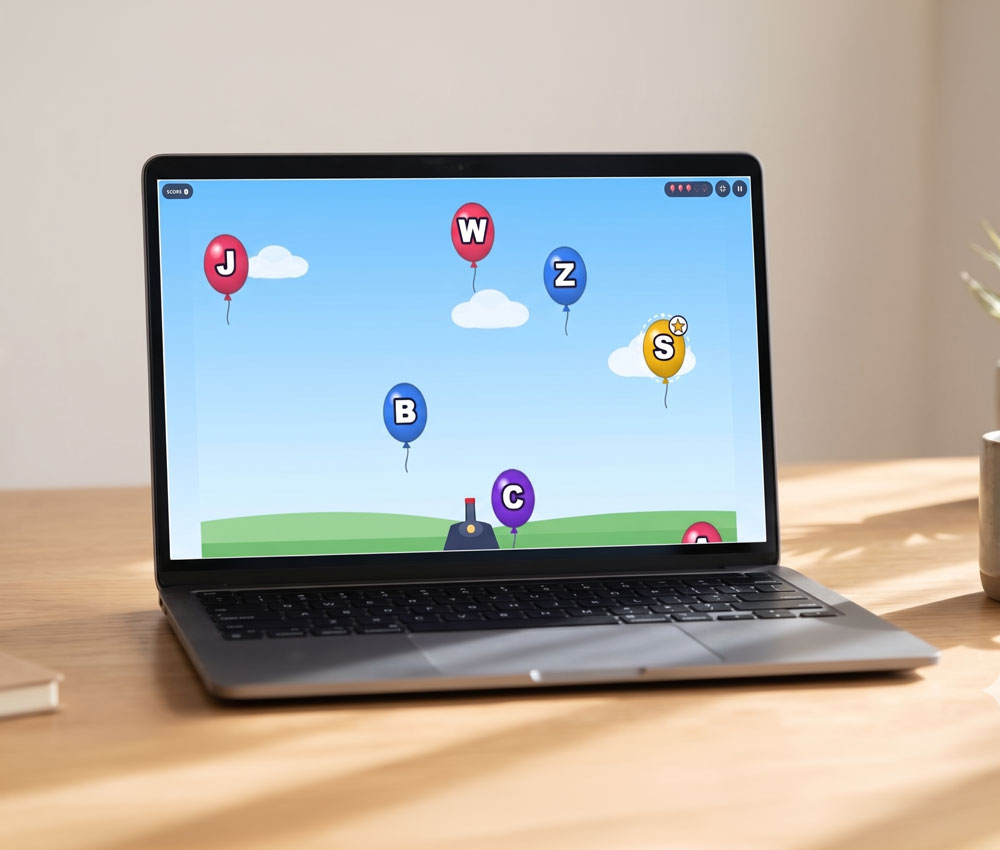
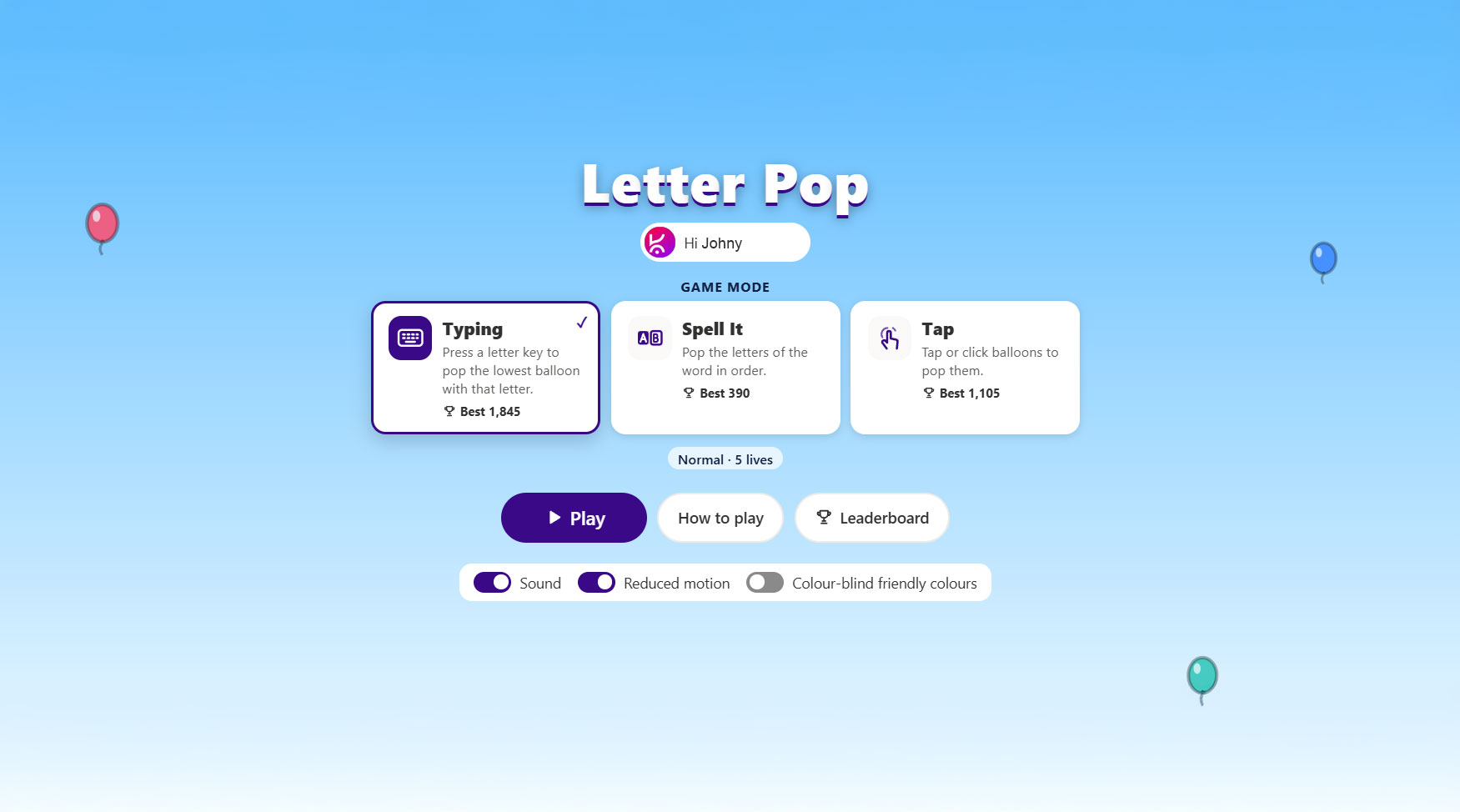
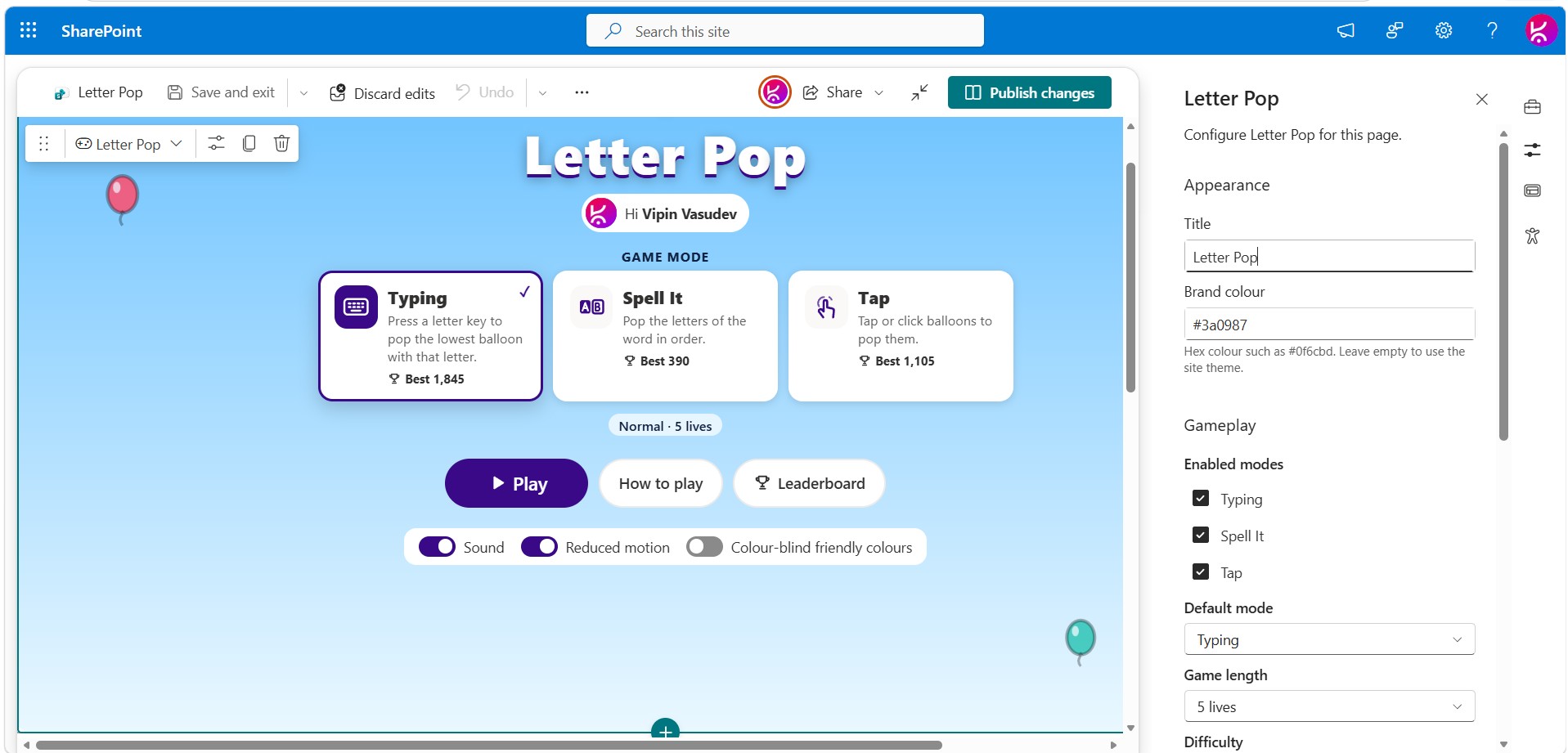
Letter Pop is a SharePoint Framework (SPFx) web part that adds a quick, workplace-friendly game to your intranet. Balloons with letters float up the screen, and players pop them with darts before they escape. There are three game modes. Typing builds keyboard speed and accuracy. Spell It has players spell work-related words in order. Tap works on touch screens and the SharePoint mobile app.
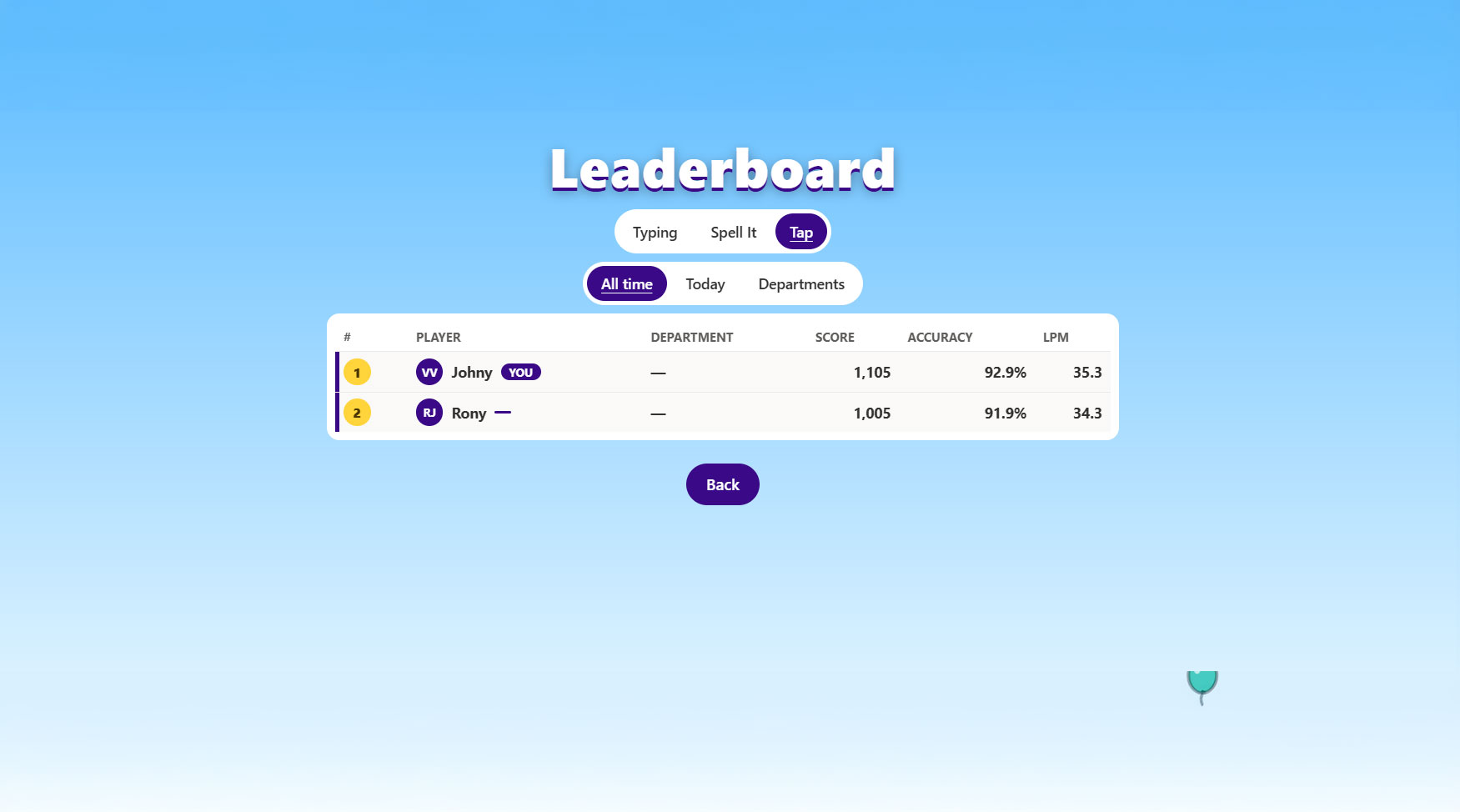
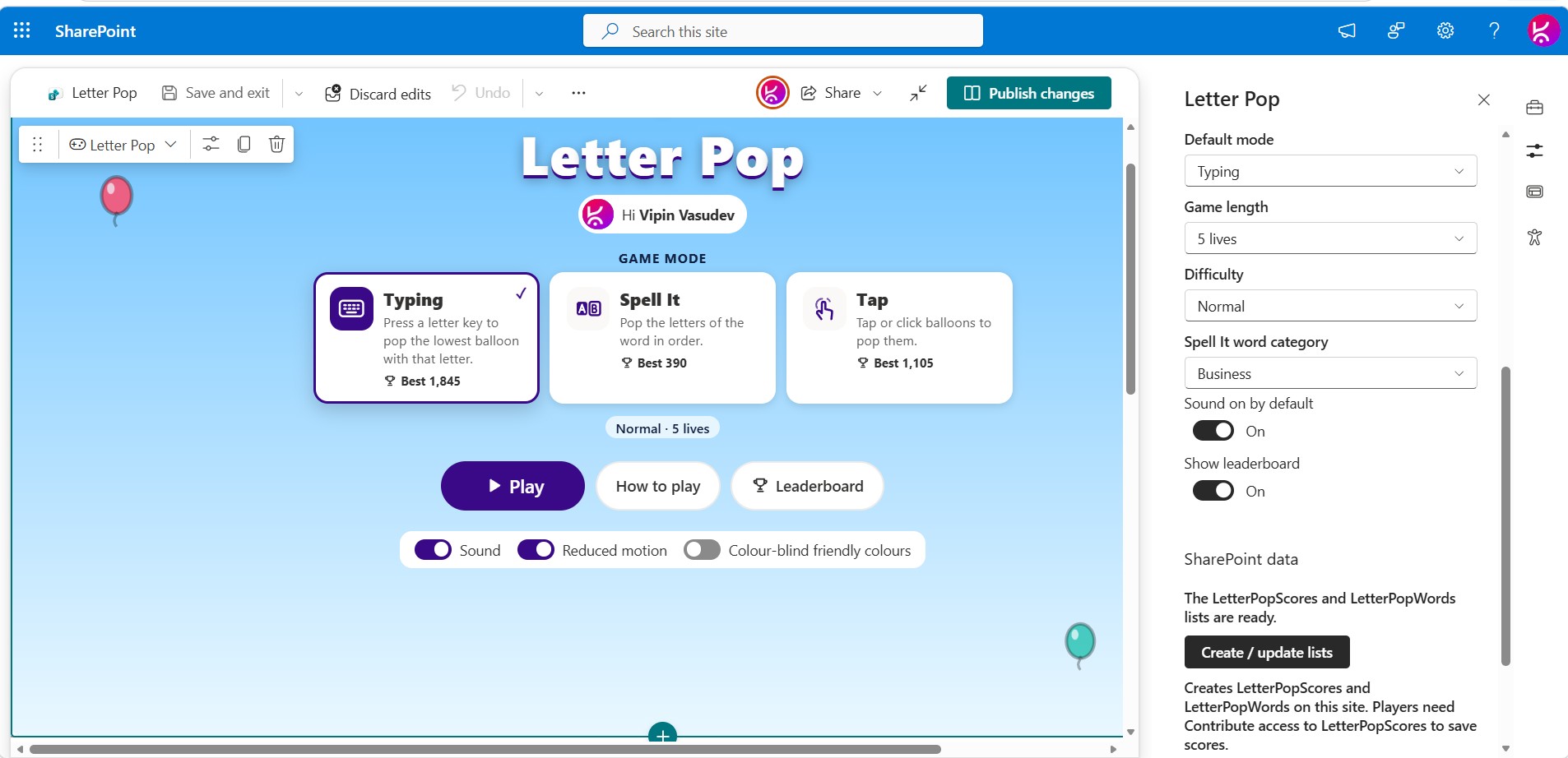
Every game is saved to a SharePoint list in your own tenant. The built-in leaderboard shows the all-time top 10, today’s top 10 and a department ranking. That turns a two-minute break into friendly competition between teams. Page editors control everything from the web part settings: which modes are on, difficulty, game length, brand colour and the Spell It word list. They can also create the lists the game needs with a single button.
Letter Pop needs no outside servers. All art and sound are generated in the browser, and player names and departments come from Microsoft 365 through Microsoft Graph. It runs on modern SharePoint pages and in Microsoft Teams, and follows the site’s light or dark theme.
Features
Gameplay
- Three game modes: Typing, Spell It and Tap.
- Keyboard or touch: Spell It works with either. Tap mode is chosen automatically on phones and tablets.
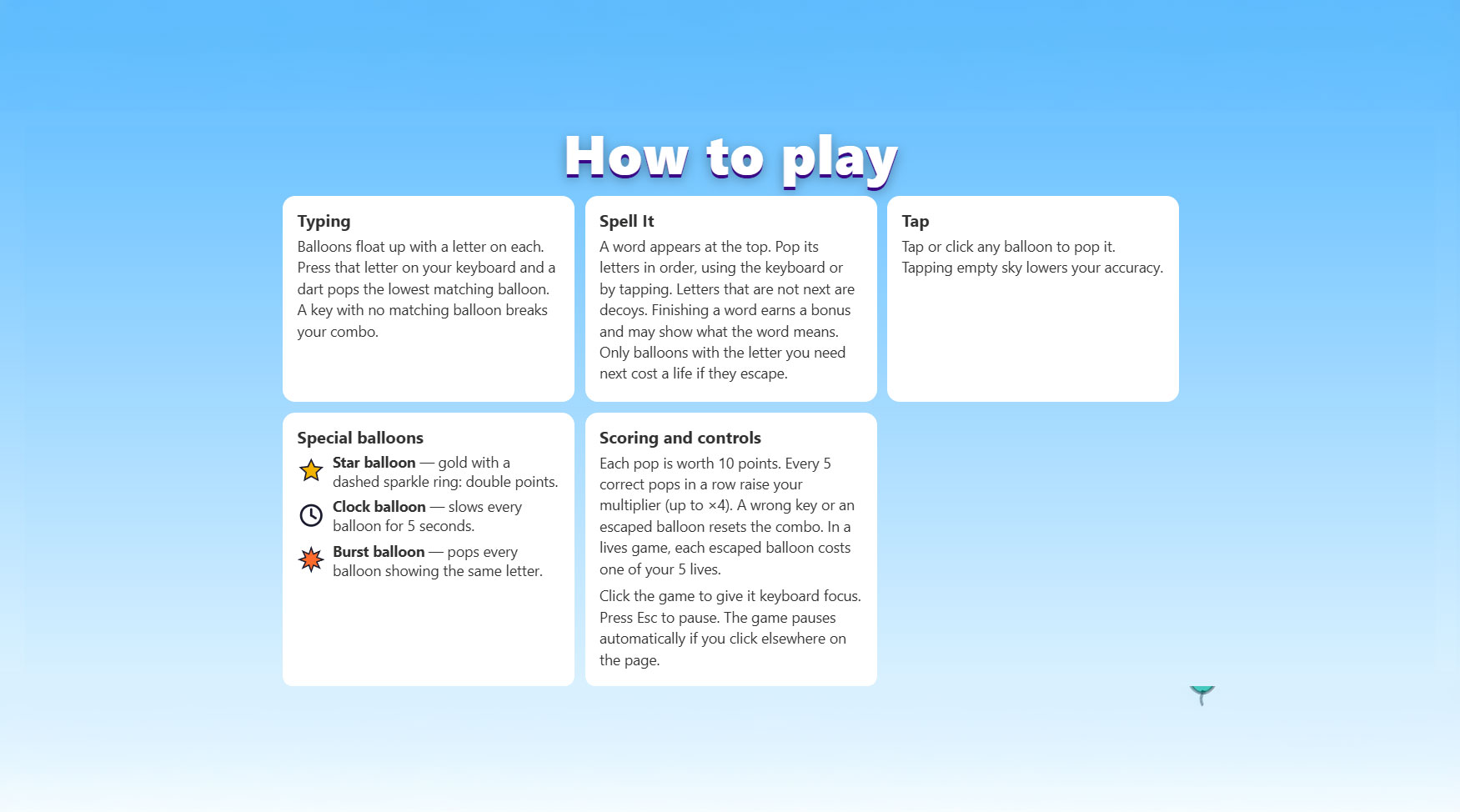
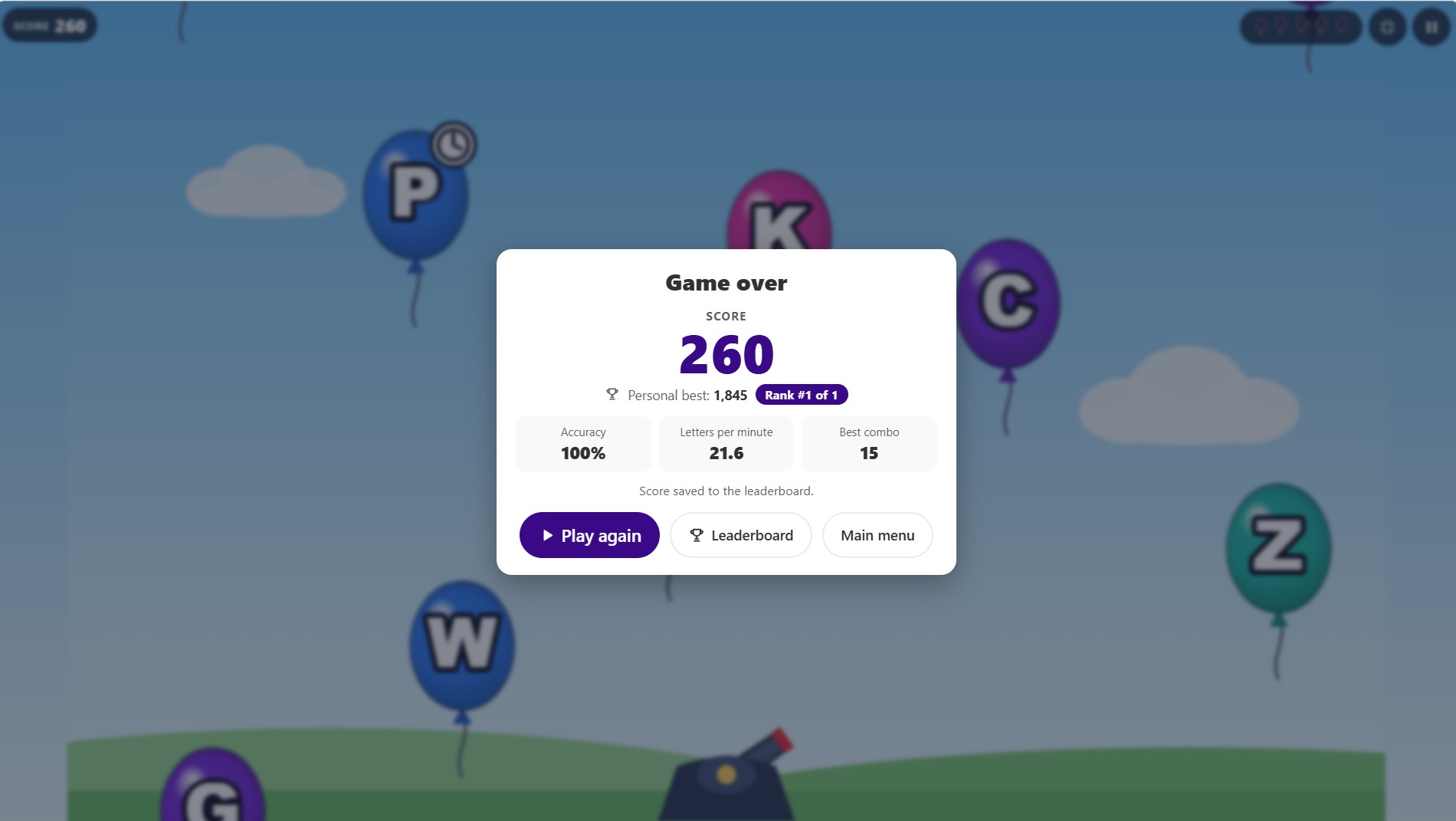
- Special balloons: Gold Star (double points), Clock (slow motion for 5 seconds) and Burst (pops every balloon with the same letter).
- Combo multiplier up to ×4 for streaks of correct pops.
- Speed rises every 12 seconds, so games get harder the longer you last.
- 3-2-1-Go countdown with instructions for each mode.
- Results screen with score, accuracy, letters per minute, best combo and personal best.
Leaderboards and competition
- Top 10 players of all time, for each game mode.
- Today’s top 10, which encourages daily play.
- Department leaderboard, using each player’s department from Microsoft 365.
- Shows your rank (“Rank #4 of 37”) and celebrates a new personal best.
- Basic checks reject impossible scores before they are saved.
Admin and customisation
- One-click setup: creates the
LetterPopScoresandLetterPopWordslists from the web part settings. - Custom word lists for Spell It, with categories and hints (for example product names, company values or onboarding terms). 24 starter words are included.
- Choose difficulty (Easy, Normal or Hard) and game length (5 lives, or 60, 90 or 120 seconds).
- Turn each game mode on or off, set the title and brand colour, choose whether sound starts on, and show or hide the leaderboard.
Microsoft 365
- Built on SharePoint Framework (SPFx) 1.24.
- Works on SharePoint Online modern pages, in Microsoft Teams and in the SharePoint mobile app.
- Shows the player’s name, photo and department from Microsoft Graph. It only needs the
User.Readpermission. - Follows SharePoint and Teams themes, including dark mode.
- Supports full-screen mode, and adapts to full-width, half-width and one-third-width page columns.
Accessibility and inclusion
- A colour-blind friendly palette, so no information depends on colour alone.
- A reduced-motion option that follows the device’s setting by default.
- Full keyboard navigation and screen-reader announcements.
- Large, high-contrast letters.
- Workplace-friendly content: no violence, and all art and sound are original.
Performance and privacy
- The game engine loads only when someone presses Play, so pages stay fast.
- All files are packaged with the web part, with no external CDN.
- Scores are stored in a SharePoint list on your site. No data leaves your tenant.
- The game pauses automatically when the player clicks away or switches tabs.
Who it’s for
- Intranet and Viva Connections owners who want a reason for people to come back to the homepage.
- HR and employee engagement teams running wellbeing breaks, team challenges or office competitions.
- Learning and onboarding teams who want new starters to learn company terms through Spell It.
- Training teams improving typing speed and accuracy.
- Event organisers running a department challenge for a week or a month.
FAQ
What is Letter Pop?
Letter Pop is a balloon-popping typing and spelling game web part for SharePoint Online and Microsoft Teams, made by KapiNex. Players pop letter balloons to score points and compete on leaderboards by player and by department.
Does Letter Pop work in Microsoft Teams?
Yes. Letter Pop can be added to Microsoft Teams as a tab, and it follows the Teams light and dark themes.
Where are scores stored?
Scores are stored in a SharePoint list called LetterPopScores on the site where the game is installed. No data is sent to outside servers.
What permissions does Letter Pop need?
It requests the Microsoft Graph User.Read permission to show the player’s name, photo and department. To save scores, players need permission to add items to the LetterPopScores list.
Can we use our own words in Spell It?
Yes. Add words, categories and hints to the LetterPopWords list, and pick a category in the web part settings. If the list is empty, Letter Pop uses its 24 built-in workplace words.
Does it work on phones and tablets?
Yes. Letter Pop works with touch in the SharePoint mobile app and on mobile browsers, using Tap mode.
Is Letter Pop accessible?
Letter Pop includes a colour-blind friendly palette, a reduced-motion option, full keyboard navigation, screen-reader announcements and high-contrast letters.
How long does setup take?
Usually a few minutes. Upload the .sppkg file to your App Catalog, add the web part to a page, and click “Create lists” in the web part settings.
Note: Full-width sections are a standard SharePoint limitation. They are natively supported only on Communication Sites and are not available on Team Sites. This applies to all web parts, including Microsoft’s out-of-the-box web parts and custom-developed ones.
If you are using a Team Site and need a full-width layout, you can download and install our FullWidth extension from here.


There are no reviews yet.