


Description
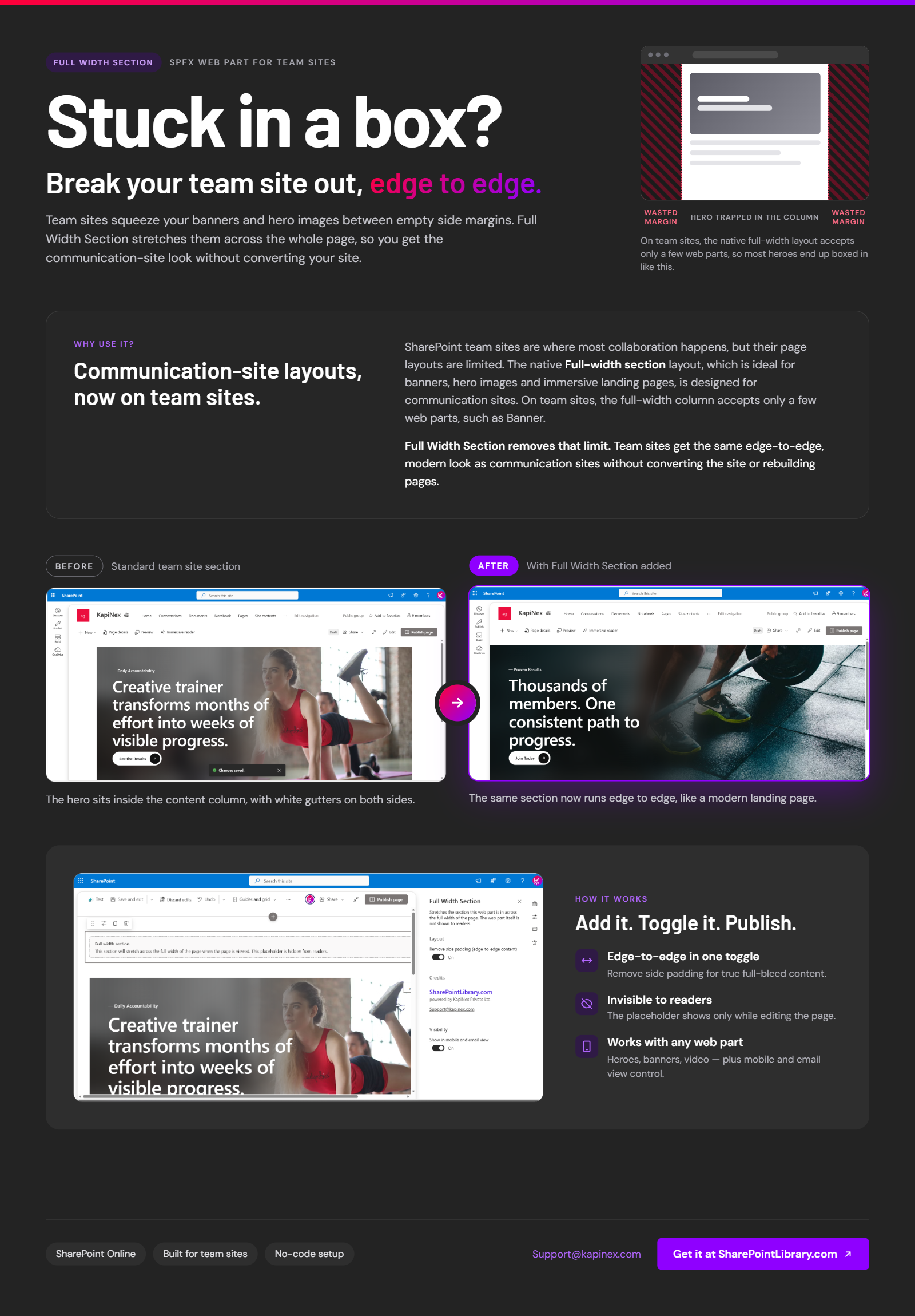
It adds full-width sections to SharePoint Online team sites. SharePoint natively offers the full-width section layout only on communication sites, and on team sites the full-width column accepts only a few web parts. Full Width Section lets page authors stretch any section, with any web part inside it, across the full width of the page.
What is Full Width Section?
Full Width Section is an SPFx package made of two components:
1. Full Width Section web part. A marker that page authors drop into a section to make that section full width. Readers never see it.
2. Full Width Section application customizer. A site extension that detects marked sections and stretches them across the page content area.
Authors keep using the standard SharePoint page editor. No code, HTML or CSS is needed on the page.
Why use it?
SharePoint team sites are where most collaboration happens, but their page layouts are limited. The native **Full-width section** layout, which is ideal for banners, hero images and immersive landing pages, is designed for communication sites. On team sites, the full-width column accepts only a few web parts, such as Banner.
Full Width Section removes that limit. Team sites get the same edge-to-edge, modern look as communication sites without converting the site or rebuilding pages.
Key features
Full-width sections on team sites
Stretch any section of a modern team site page across the full width of the content area, matching the communication-site layout.
Works with any web part
Use Hero, Image, Quick links, Text, Embed, News, Events or your own custom SPFx web parts in a full-width section. You are not limited to the web parts SharePoint allows in its full-width column.
Edge-to-edge option
Turn on **Remove side padding** to let images, videos and banners run fully from edge to edge.
Section backgrounds stretch too
Section background (emphasis) colours extend across the full width, for bold visual bands and page dividers.
Invisible to readers
The marker web part renders nothing for site visitors. In edit mode it shows a clear hint so authors know which sections are full width.
Author-friendly editing
Sections keep their normal width while the page is being edited, so the SharePoint section toolbar stays within reach. Admins can choose to show full width in edit mode as well.
Built-in setup check
If the site extension isn’t active on a site, the web part warns authors in edit mode, so there’s no guessing why a section isn’t stretching.
Fully responsive
The layout recalculates automatically when the browser is resized, the site navigation is collapsed or expanded, or users move between pages.
Respects site navigation
Full-width sections fill the page content area next to the team site’s left navigation, so nothing is hidden or overlapped.
Right-to-left language support
Works on sites in right-to-left languages such as Arabic and Hebrew.
Theme aware
Edit-mode hints follow the site’s SharePoint theme.
No custom script required
Runs on sites with custom scripting disabled (the SharePoint Online default). No script editor or tenant-wide script settings are needed.
Privacy friendly
The solution makes no external network calls and collects no data. Everything runs in the user’s browser on your SharePoint pages.
Flexible deployment
Install per site from the app catalog, or deploy tenant-wide to make full-width sections available on every site.
Clean and reversible
Remove the marker web part and the section immediately returns to its normal width. No page content is changed.
Use cases
– Full-width hero banners on team site home pages
– Edge-to-edge images and videos on project and department sites
– Immersive landing pages for Microsoft Teams-connected sites
– Wide dashboards and embedded reports (Power BI, Forms, Embed)
– Visual section dividers using full-width background colours
– Consistent branding between team sites and communication sites
Frequently asked questions
Can you have full-width sections on a SharePoint team site?
Not natively for most web parts. SharePoint designs the full-width section layout for communication sites, and on team sites the full-width column accepts only a few web parts, such as Banner. Full Width Section adds full-width sections to team sites for any web part.
Why can I only add the Banner web part to a full-width column in my team site?
A full-width column only accepts web parts that are built to support it. On team sites that is a small set, such as Banner. With Full Width Section, you use a normal one-column section instead, so you can add any web part and still display it at full width.
Which web parts can I use in a full-width section?
Any web part, including Hero, Image, Quick links, Text, Embed, News, Events, Power BI and custom SPFx web parts.
Do I need to convert my team site to a communication site?
No. Full Width Section works on your existing team site and pages. No site conversion or page rebuilding is required.
Does it require custom scripts to be enabled?
No. It is a standard SPFx solution that works with custom scripting disabled, which is the
SharePoint Online default.
Will readers see the Full Width Section web part?
No. The marker web part is hidden from readers. Only page authors see it, and only in edit
mode.
Does it work with the team site’s left navigation?
Yes. Sections stretch to fill the page content area next to the navigation and adjust when the navigation is collapsed or expanded.
Is Full Width Section mobile friendly?
Yes. The layout recalculates on every resize, so full-width sections adapt to any screen
size.
There are no reviews yet.