

Description
Creating a flipbook
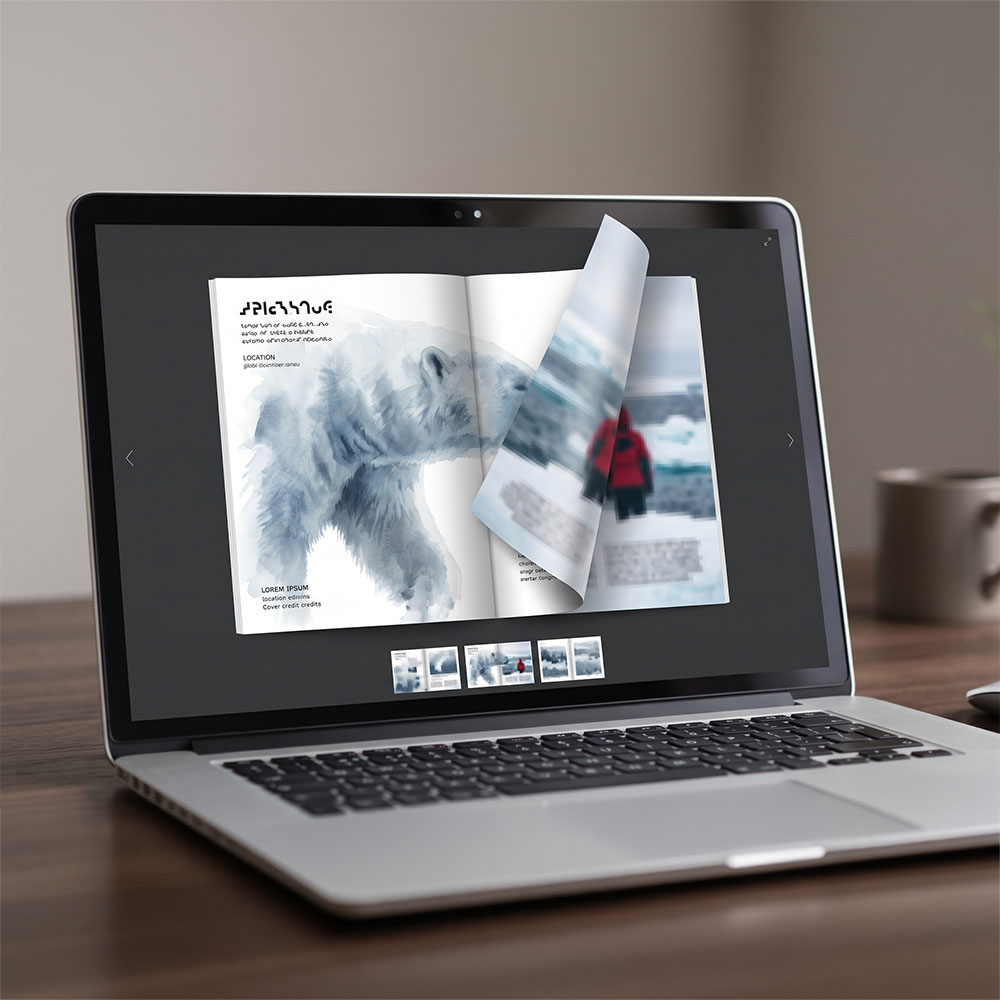
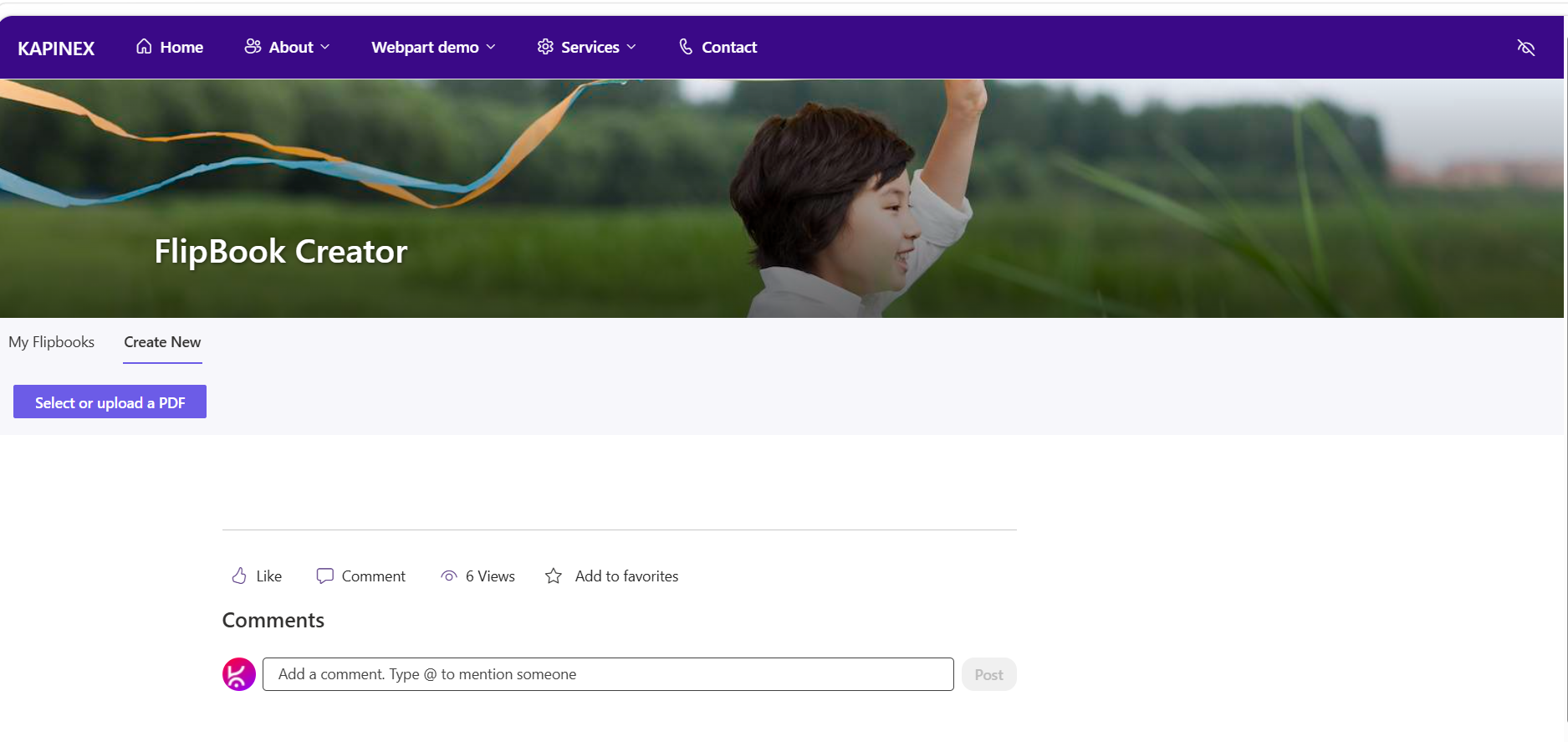
One web part, no separate authoring tool – pick a PDF already in the site and it’s rendered into a book in the browser.
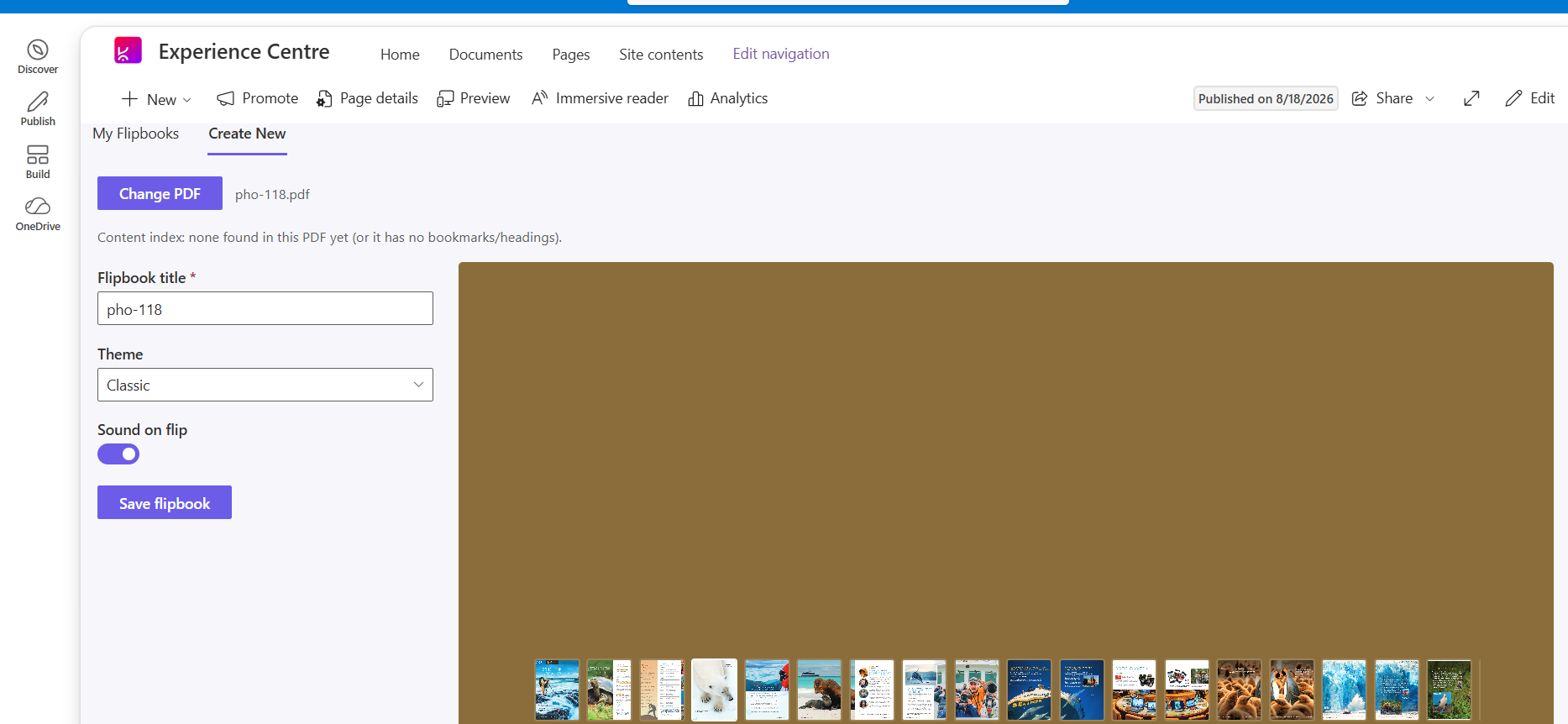
- Pick a PDF from the site’s document libraries with a built-in file picker, scoped to .pdf files.
- See the file’s name and size before committing, with a warning (not a block) on unusually large files.
- Optional: generate a contents panel from the PDF’s own headings/bookmarks – off by default, one toggle to turn on.
- Pages stream into a live preview as they render, instead of waiting on the whole document.
- Choose a cover theme and whether page turns play a sound, before saving.
Reading & navigating
The reading experience is the same component whether you’re previewing a flipbook mid-creation or opening someone else’s shared link.
- A real page-turn animation with hard covers, drag-to-flip by corner, and click-through paging.
- Links inside the original PDF still work: external links open in a new tab, internal links jump straight to the target page.
- Zoom from 60% to 220%, a fullscreen mode, and a thumbnail strip for jumping to any page directly.
- Keyboard control: arrow keys to turn pages, Home/End to jump to the first or last page.
- The optional contents panel (when generated) lists nested headings and jumps to the right page on click.
Dashboard & browsing
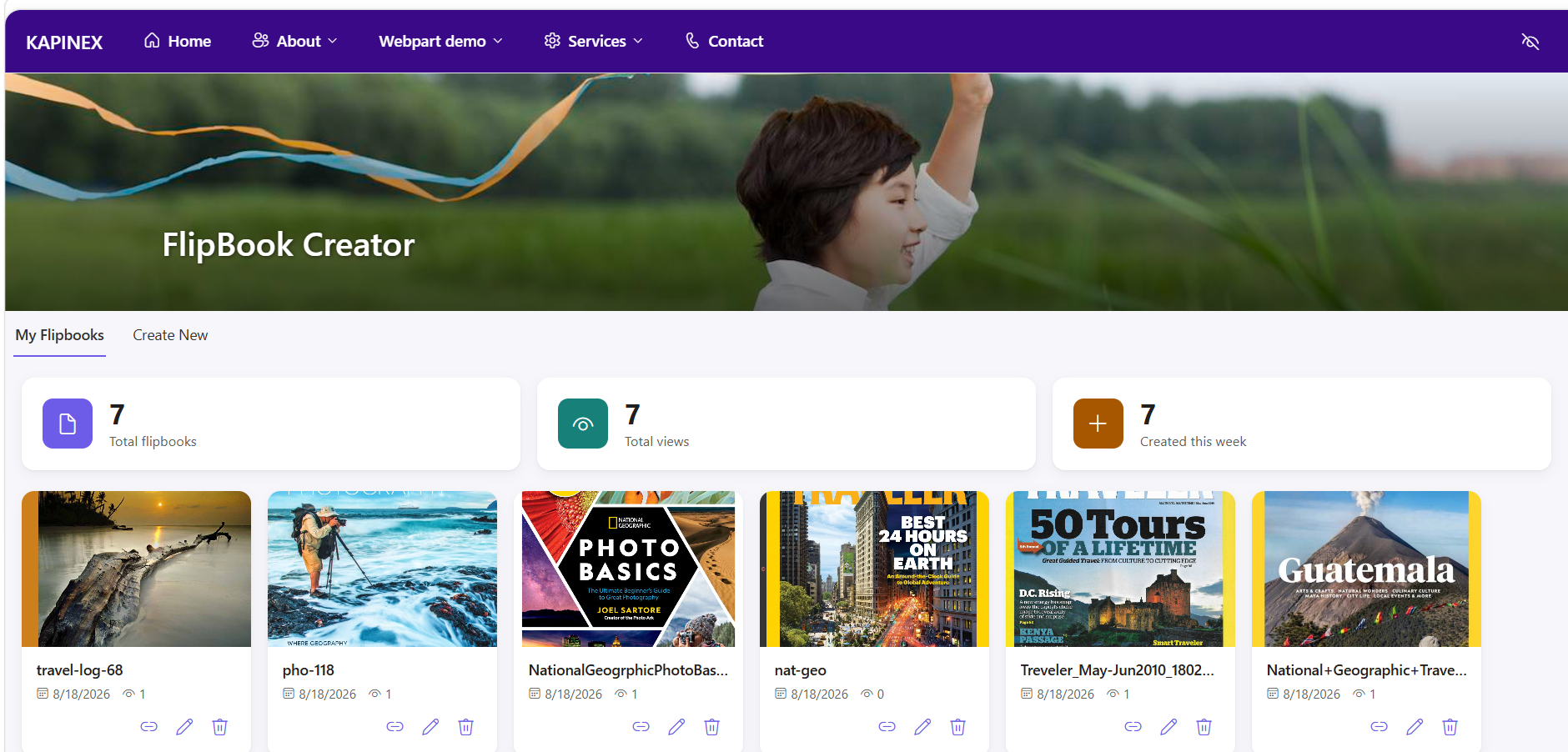
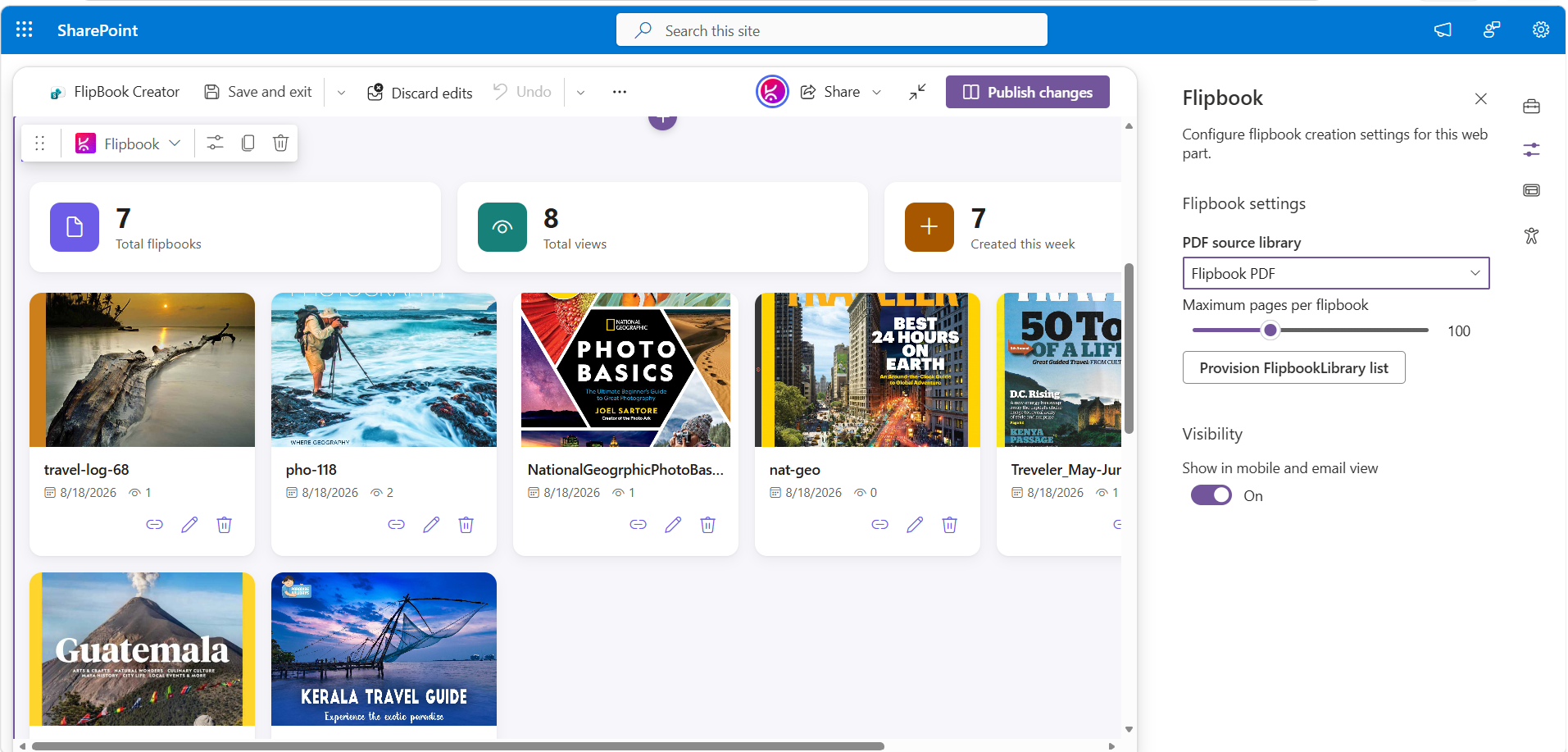
A “My Flipbooks” view for anyone who’s created one, with the everyday upkeep actions alongside it.
- Grid of your own flipbooks, newest first, each with a thumbnail, title, created date, and view count.
- At-a-glance totals: how many flipbooks, total views, and how many were made in the last 7 days.
- Rename a flipbook in place, or delete it (with a confirmation, since it also removes the rendered pages).
- Copy a shareable link straight from the card.
- An empty state points new users straight at “Create your first flipbook.”
Sharing
A flipbook is reachable by a single link – no separate viewer page or extra permissions step. Any flipbook is visible to everyone, whether they open it via the link or find it in the site.
- Copy-link produces the current page’s URL with the flipbook’s ID appended after a # — opening it loads straight into viewing.
- Older links using the previous ?id= format still resolve, for anything shared before this changed.
- Recipients see the title, a view counter, and a one-click way back to the dashboard.
Themes
Set once per flipbook at creation time, along with the flip sound – not adjustable later by whoever’s reading it.
Administration & setup
Configured from the web part’s property pane — no separate admin screen.
- Pick which document library new flipbooks are created from.
- Set a site-wide page limit per flipbook (1–300 pages).
- A one-click Provision lists button sets up the required list and asset library the first time — safe to click again later, it only fills in what’s missing.
Note: Full-width sections are a standard SharePoint limitation. They are natively supported only on Communication Sites and are not available on Team Sites. This applies to all web parts, including Microsoft’s out-of-the-box web parts and custom-developed ones.
If you are using a Team Site and need a full-width layout, you can download and install our FullWidth extension from here.



There are no reviews yet.